
Change the Default Password for the ADSL Router Configuration Menu (Basic Security)
Learn how to change the default password for your ADSL router's configuration menu, step by step, and keep your network private and secure from intruders.
The security of your ADSL Router is essential, both for our privacy and so that only we control everything we have paid for. As we saw in the First Contact with the ADSL Router tutorial, the default passwords of an ADSL Router can be found very easily on any website (having the passwords on the Internet isn’t a bad thing, since we have to be able to access the Configuration Menu of our ADSL Router somehow; what is bad is leaving the default one in place).
As we saw in the first contact tutorial with the ADSL Router: the Configuration Menu is to the ADSL Router what the operating system is to a computer. So it must be kept just as private and secure as the other.
To prevent access to the ADSL Router, it is important to change the factory password used to access it. Leaving it is a high security risk, because these are public passwords that everybody knows; in most cases they are: 0000, 1234, admin. To do so, we go to:
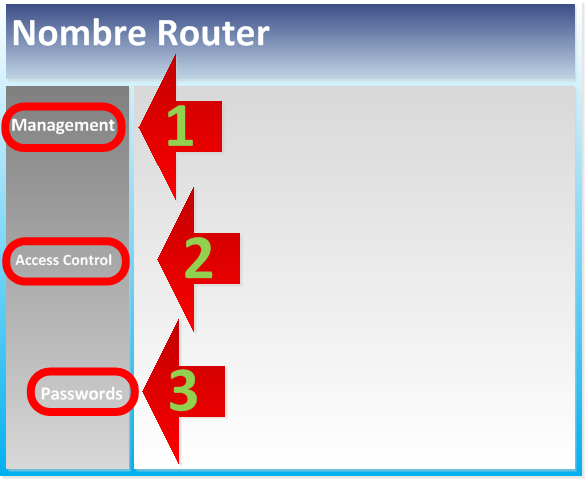
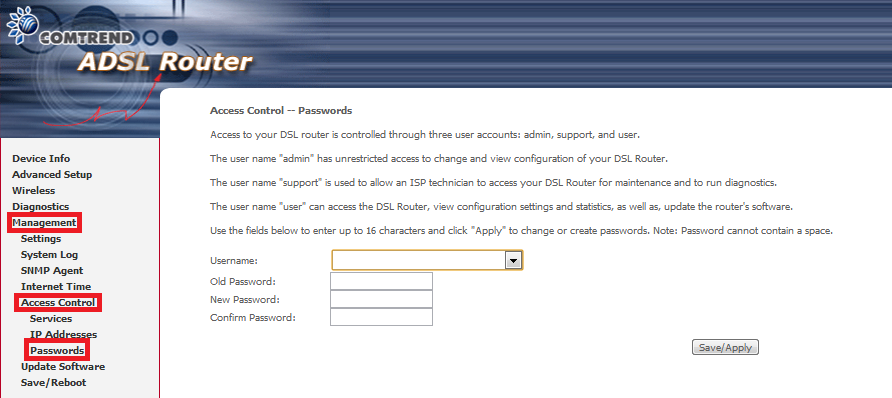
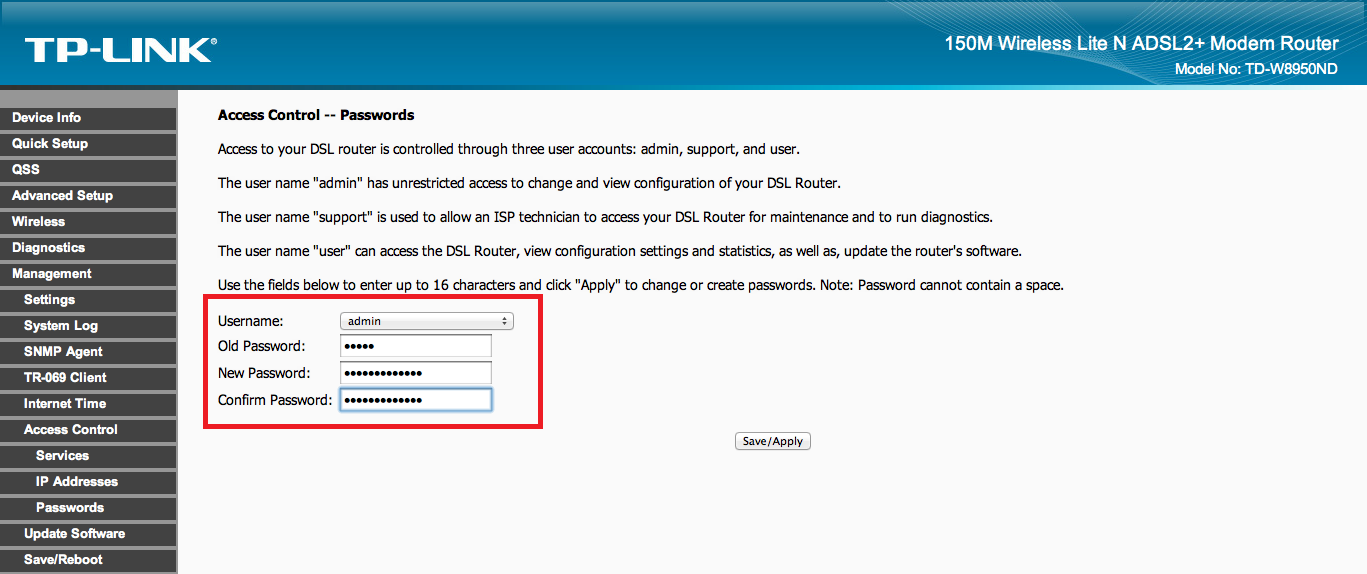
1. “Management” to expand a submenu.
2. In the submenu, we select “Access Control”. Once done, another submenu will expand.
3. In this other submenu, we select “Passwords”. This will load some content in the panel on the right.
Examples of what was explained above on several ADSL Routers:

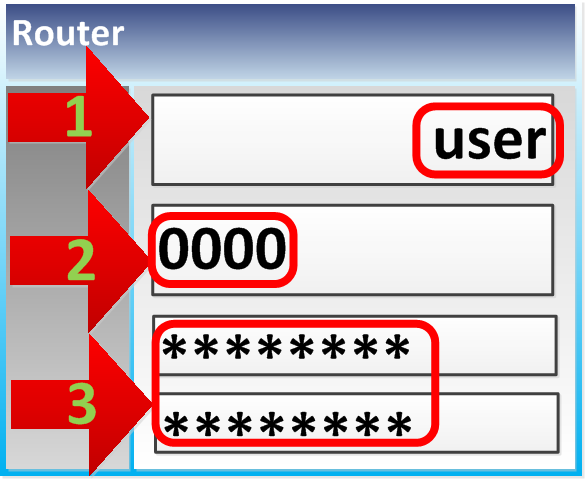
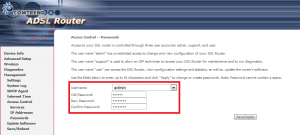
To change the ADSL Router access password:
1. There will be a field named “Username”. On some ADSL Routers you can enter whatever you like, which is highly recommended. On other ADSL Router models you will have to choose from the allowed ones in a dropdown; if the option exists, we recommend selecting “admin”.
2. There will be a field called “Old Password”. Here you enter the old password of your ADSL Router.
3. Finally, you need to specify a new password in the “New Password” field, and repeat it in the matching “Confrim Password” field.
“Change the Default Password for the ADSL Router Configuration Menu (Basic Security)” by Ramón Invarato at jarroba.com, licensed under Creative Commons Attribution-NonCommercial-ShareAlike 3.0. Registered at Safe Creative.

You may also like


First Contact with Your ADSL Router – Accessing Its Configuration Menu
Learn how to log in to your ADSL router's configuration menu from a browser, which default credentials to try, and how the admin panel is laid out.
ADSL Router – How Does That Box That Just Gives You Internet Work?
Find out how your ADSL router works: LAN vs. WAN, RJ-45 and RJ-11 ports, and what's really inside that box your ISP sends you.
Leave a comment