
ADSL Router – How Does That Box That Just Gives You Internet Work?
Find out how your ADSL router works: LAN vs. WAN, RJ-45 and RJ-11 ports, and what's really inside that box your ISP sends you.
Before going on, it’s a good idea to understand the concept of Internet Service Provider that we saw in the previous tutorial.
When a box arrives at our home from our carrier (“Internet Service Provider” or “ISP”), we get something like this:
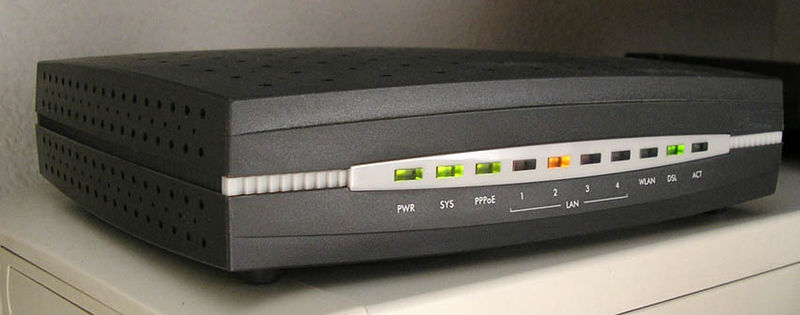
ADSL router. Source: Wikipedia
When we open the ADSL router’s box, we find a device whose most striking feature is a bunch of strange sockets on the back, some of them identical, possibly with an antenna or antennas, several holes for ventilation, and the whole thing about the size of a dictionary -although lighter.
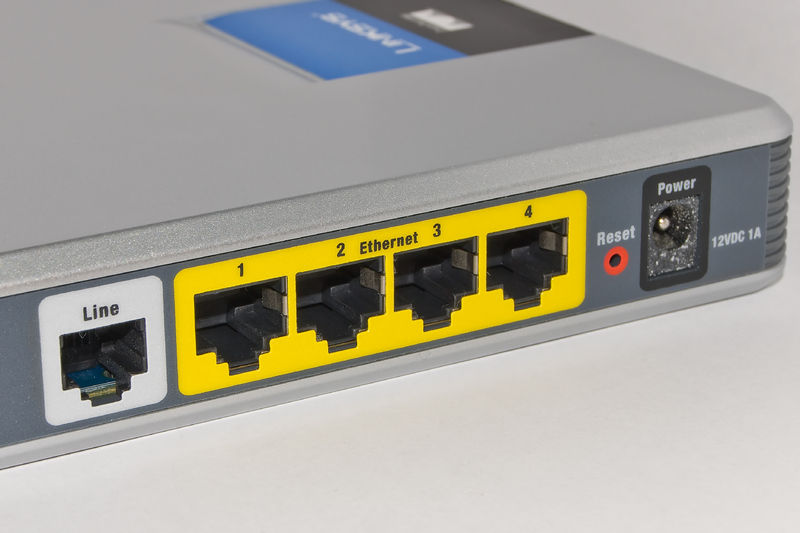
Back of an ADSL router. Source: Wikipedia
This is our ADSL router, and we’ll have to plug a number of cables into it. But before talking about the cables, let’s look at what this router has to do to give us that famous thing called the Internet.
Let’s look at the following image and then we’ll analyze it.
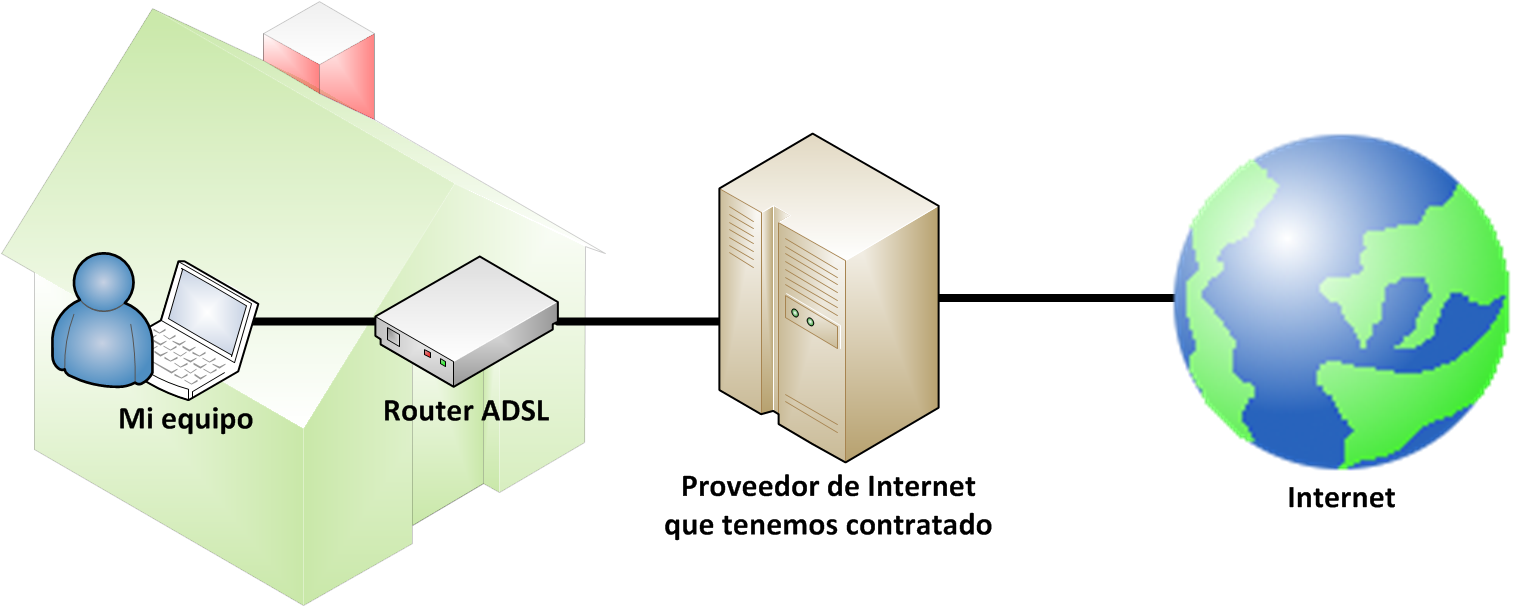
The Internet provider connects us to the rest of the Internet through the ADSL router, and the router in turn connects our devices (laptops, tablets, smartphones, etc.) by cable or wirelessly (Wi-Fi).
Let’s dig a little deeper. There are two types of networks we care about when we have an ADSL router, and even though we can’t see them, they’re always there: the LAN and the WAN.
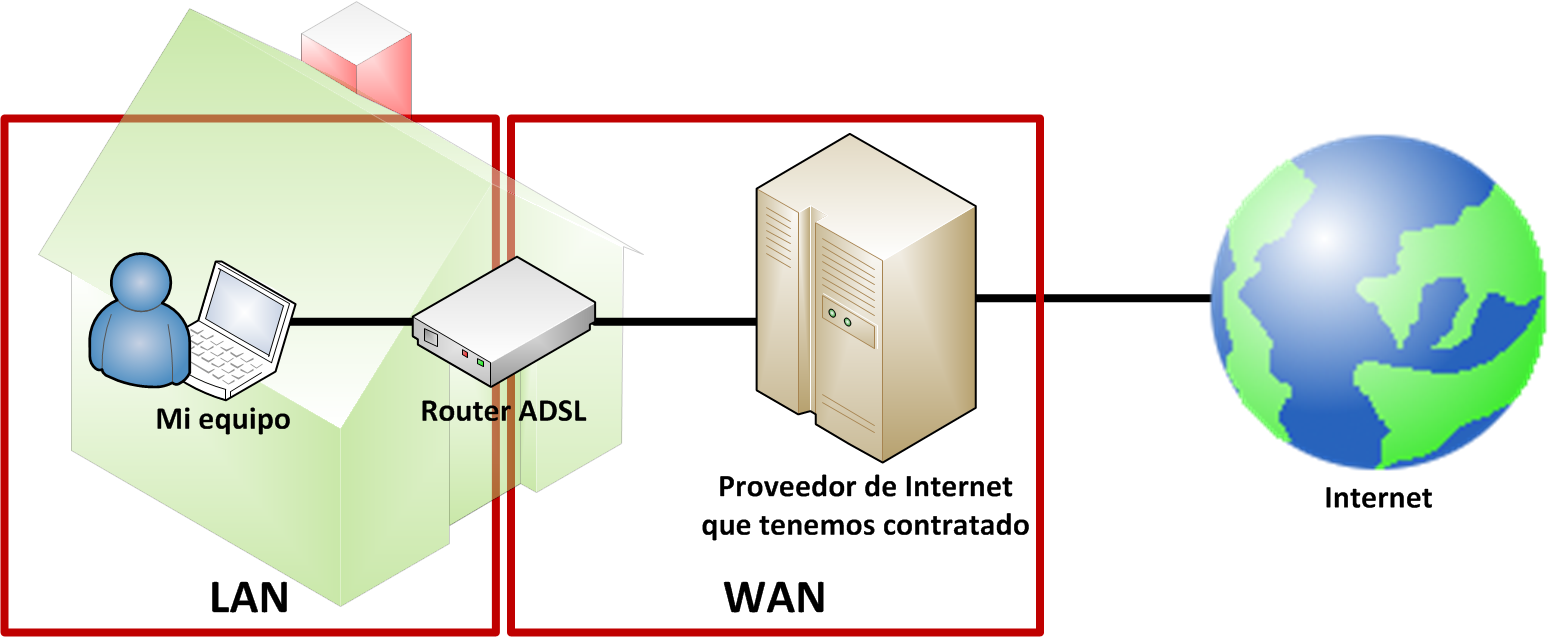
The LAN, put quickly, is the one that interests us most: it connects the ADSL router with the devices where we want Internet over a cable –the wireless network is called a WLAN, but we’ll explain that in another article. LAN stands for Local Area Network. It’s the way several devices communicate with each other, not only with the ADSL router, but also between computers, laptops, etc. The ADSL router usually acts as the link between devices, although one computer can also talk to another directly with a cable, and that would also count as a LAN. As we said, the ADSL router lets many devices connect to many others –though it’s not quite right to put it this way, it would be like having one electrical outlet and, to power many different appliances, plugging in a power strip; that power strip would play the role of the ADSL router.
We also have the WAN, which is the side our Internet provider cares about in order to provide the service and to bill us. WAN comes from Wide Area Network.
Now that we understand this, we can focus on the ugly part of the ADSL router: the back, where the sockets are.
As you’ll have figured out from the above, we need at least two sockets: one to connect it to our Internet provider (so the Internet reaches the ADSL router), and another connected to our computer (so the Internet reaches our computer from the router). Watch out, that’s at least 2 cables if we don’t connect our computer wirelessly; also, let’s not forget that our ADSL router is an electrical device that needs power to work, so we’d need one more cable plugged into an outlet.
In short, the router’s general layout meets our expectations:
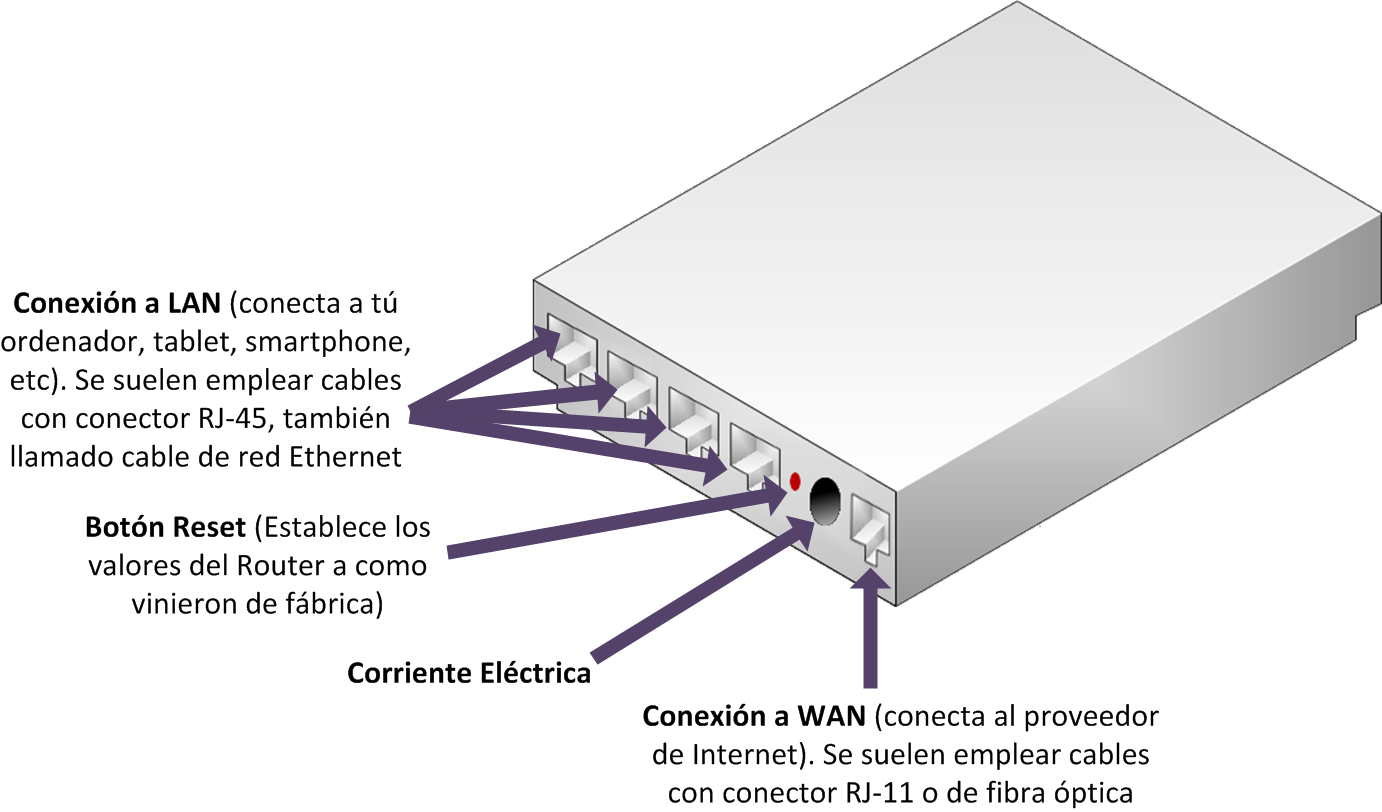
You’ll have noticed in the image that all the expected ports are there, some of them repeated -you probably already know why, we mentioned that several devices can be plugged in, so that’s the idea. You’ll also have noticed a very small button between the sockets labeled “Reset”. It’s there in case we misconfigure the ADSL router in software in the future –Note: it doesn’t fix physical problems.
The LAN connection is the one we use to plug our computer directly into the ADSL router. By standard, the Ethernet network cable is used, whose connector is called RJ-45 (the connector is the male plug, which is not the same as the cable, watch out).
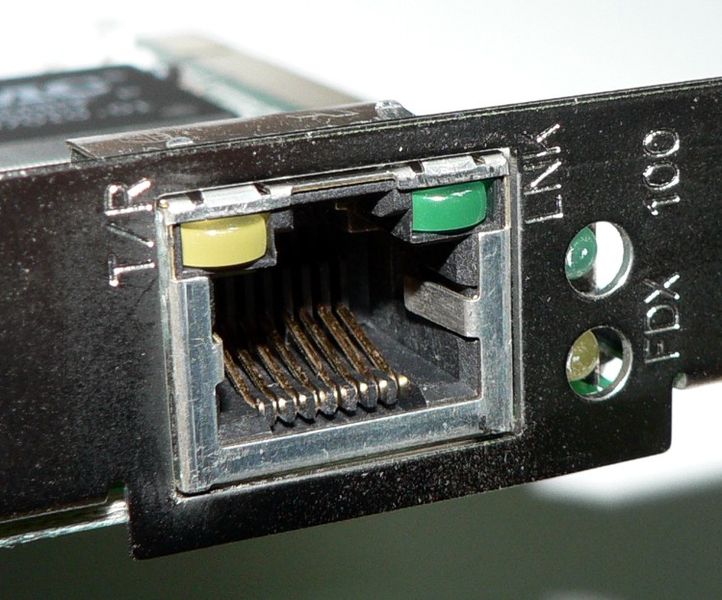
Port for an RJ-45 connector (female socket). Source: Wikipedia.
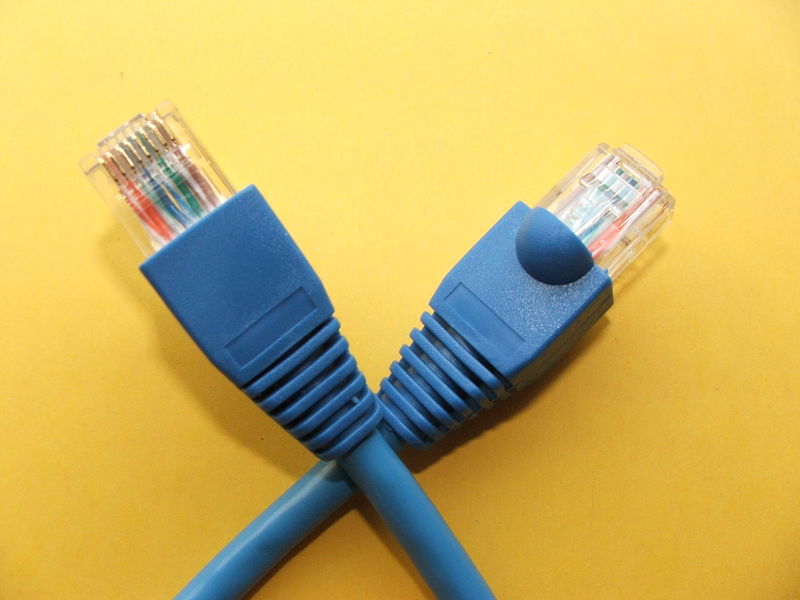
Ethernet network cable with RJ-45 connector (male plug). Source: Wikipedia.
Then there’s the WAN connection, the one that plugs our ADSL router into our Internet provider. Also by standard, at least in Spain, the RJ-11 connector is usually used, which is the same one used on telephones (RJ-11 is often confused with RJ-45 because they look alike, except that the RJ-11 is smaller than the RJ-45).
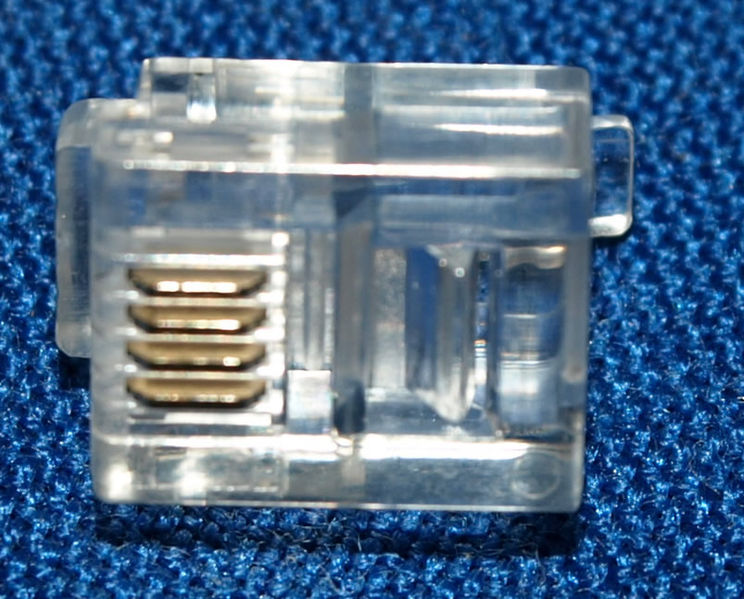
RJ-11 connector (male plug). Source: Wikipedia.
If you’re wondering what the letters RJ stand for, they mean Registered Jack. The number is the model of the cable.
So, what we’ve just explained is how to connect the different “things” to the ADSL router. Of course, we can plug in as many devices as the ADSL router has Ethernet ports; the ones carriers give away usually have 4, and only 2 are normally open for free use, while the rest are reserved for connecting TV channels and other services the carrier might provide. By calling the carrier, all the Ethernet ports can be freed up to use however we want. If, for example, we have two laptops, the connection would look like the following drawing (connecting them directly with a cable; we’ll talk about Wi-Fi later):
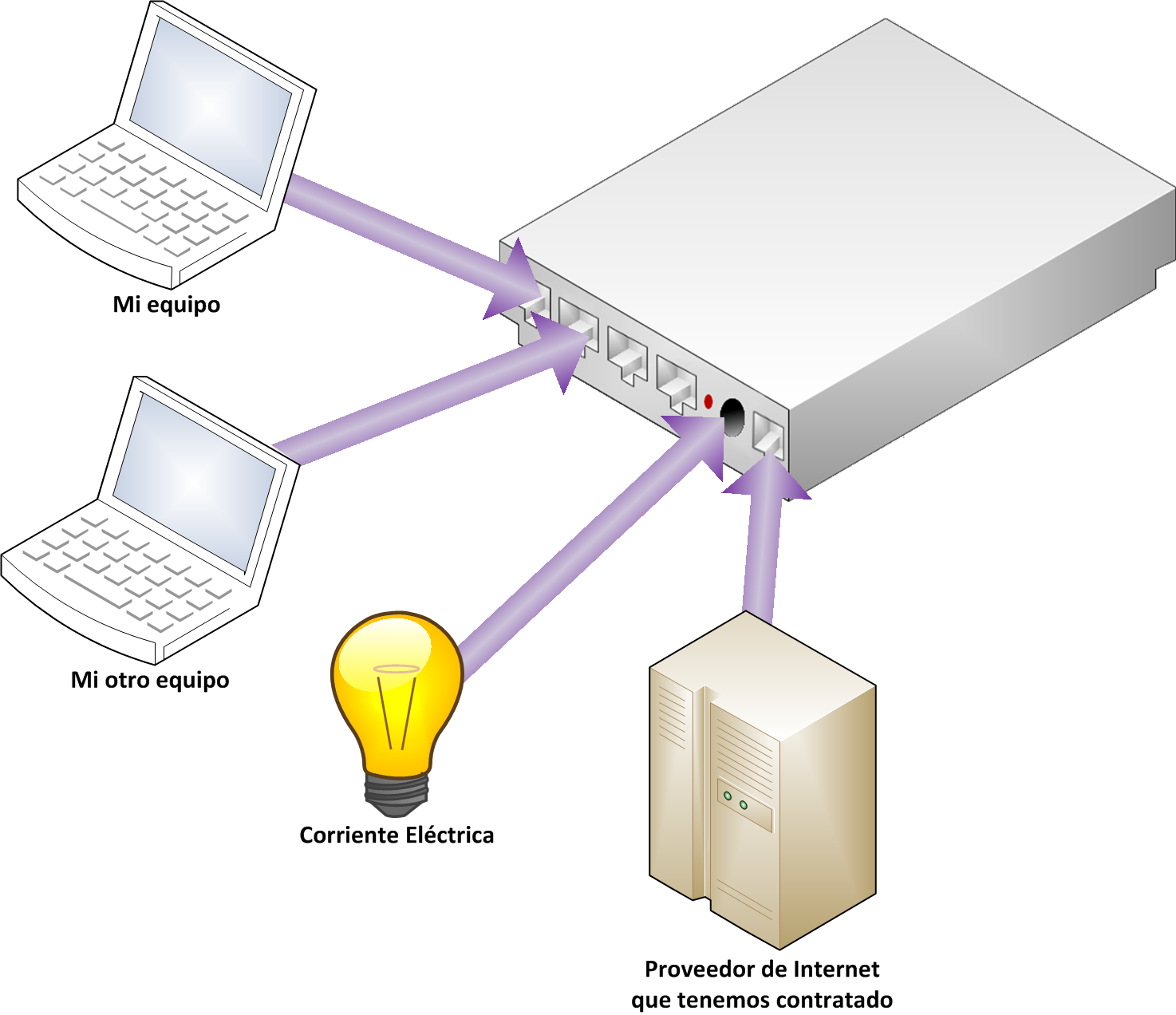
In this example, a maximum of 4 computers can be connected to the ADSL router by cable.
We’ve talked about both ports and sockets. For our purposes, they’re the same thing.
Now we have the ADSL router plugged in on the outside. But what’s inside? I hope the answer to this question also answers the next one you’ve surely asked yourself: why do we have to call the gadget the carriers give us an “ADSL router” and not just a “router”? Well, what it has inside is the following:
- Packet forwarder, also called a router (“Enrutador” in Spanish). As you can see, it has the name Router, which is why we can’t just call the ADSL router a Router.
- Gateway.
- ADSL modem, or WAP from the initials of Wireless Access Point.
There’s one more that your ADSL router most likely has: the one that “gives” you Wi-Fi. If it has it, it will no longer be called an ADSL router, but an “ADSL Wi-Fi router”.
- Wireless access point. This one is very important, since it’s where the dangers associated with Wi-Fi and how to avoid them come from.
“ADSL Router – How Does That Box That Just Gives You Internet Work?” by Ramón Invarato at jarroba.com, licensed under Creative Commons Attribution-NonCommercial-ShareAlike 3.0. Registered at Safe Creative.

You may also like


Internet Service Provider – How Does the Internet Get to Our Home?
Find out how the Internet gets to your home: what an ISP does, what your ADSL router really is, and the path data takes from the web to your computer.
Wireless Access Point – How Does Wi-Fi Work?
Learn what a wireless access point is, how Wi-Fi really works, and how your laptop and your Wi-Fi ADSL router exchange data through the air.
First Contact with Your ADSL Router – Accessing Its Configuration Menu
Learn how to log in to your ADSL router's configuration menu from a browser, which default credentials to try, and how the admin panel is laid out.
Change the Default Password for the ADSL Router Configuration Menu (Basic Security)
Learn how to change the default password for your ADSL router's configuration menu, step by step, and keep your network private and secure from intruders.
Leave a comment