
Internet Service Provider – How Does the Internet Get to Our Home?
Find out how the Internet gets to your home: what an ISP does, what your ADSL router really is, and the path data takes from the web to your computer.
As the title suggests, the word home can be replaced with any other place: an office, an airport, a coffee shop, a shopping mall, and so on.
The Internet is not that different from the water, electricity or gas that we have contracted to supply our homes. Just as we arranged to have the water pipes installed up to our house –although the pipes were actually installed back when the house was built, not when we moved in- and we pay monthly for what we use. With the Internet it is exactly the same: the first thing we need is to hire someone to run the Internet cables into our home, and then pay a monthly fee for using it. We do this by signing up with an “Internet service provider” -a long name for what we usually call “our carrier”: Ono, Jazztel, Orange, Movistar, etc. (these brands are just examples, and I don’t mean to advertise or badmouth any of them). They are also known as ISPs, from Internet Service Provider.
After signing up for Internet, they have probably “given” us a device that works as the Internet inlet tap. Just like water taps, where we plug in different appliances: washing machines, dishwashers, etc. The device they gave us works exactly the same way: we can plug different devices into it, such as desktop computers, laptops, game consoles, tablets, smartphones, etc.
By the way, this device is popularly called a Router. But that isn’t quite right, because a router is just one part of this device, which is called an ADSL Router. It’s a mistake like calling the hoop -which is a part of basketball- the basketball itself. How do we tell one from the other? The router is an internal part of the ADSL Router, so it’s better to call each thing by its name.
Now we have our ADSL Router in hand. Before plugging the ADSL Router into the computer, we find ourselves in the following situation: we pay for our Internet with a line that we have contracted, and this line is linked to our contract with our personal data. Exactly like the water, electricity or gas contracts.
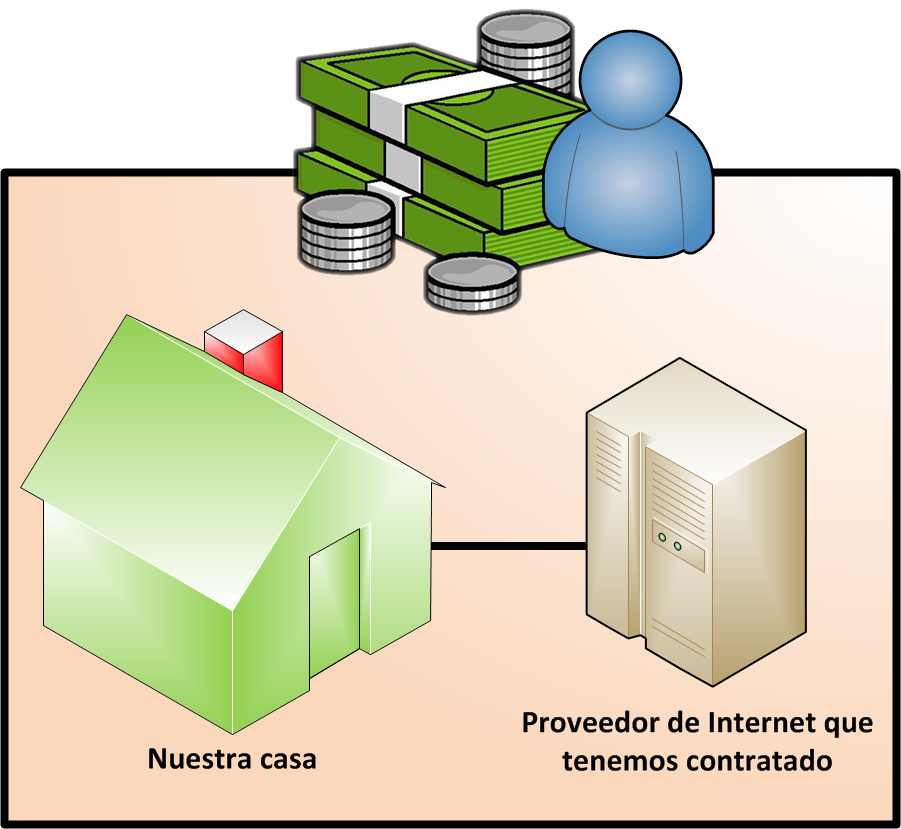
So far, if we keep comparing it to the water that reaches our home, it would be as if the water treatment plant connects to our house through the pipes. Now comes the part that matters to us: the connection from the treatment plant to the reservoir, because the water has to come from somewhere, just like the Internet.
So, as we know, or can guess from what we’ve explained, the path the Internet follows to reach our home is the following:

Everything is on the Internet, but to reach our home it first has to reach the exchanges of our Internet provider. Then our provider gives us access to the Internet as we agreed in our contract.
Now, just as the Internet’s information reaches our provider and from there it reaches our home. Remember the tap example: it gets water from the street and has dishwashers and washing machines plugged in. When we plug the ADSL Router -the tap- into the street and into our computer -the washing machine, for example- the Internet data travels from the street to the ADSL Router and from there to our computer.
In the following image we can see how we connect a computer by cable directly to the ADSL Router.

But for all our talk about the ADSL Router, we haven’t explained the magic that makes it work and how it is configured, which we cover in this other tutorial about the ADSL Router.
“Internet Service Provider – How Does the Internet Get to Our Home?” by Ramón Invarato at jarroba.com, licensed under Creative Commons Attribution-NonCommercial-ShareAlike 3.0. Registered at Safe Creative.

You may also like


ADSL Router – How Does That Box That Just Gives You Internet Work?
Find out how your ADSL router works: LAN vs. WAN, RJ-45 and RJ-11 ports, and what's really inside that box your ISP sends you.
Fault-Tolerant, Highly Available Apache Kafka Cluster
Learn how to set up a Kafka cluster with multiple brokers, distributed across several real cloud servers, step by step.
Leave a comment