
Wireless Access Point – How Does Wi-Fi Work?
Learn what a wireless access point is, how Wi-Fi really works, and how your laptop and your Wi-Fi ADSL router exchange data through the air.
First, and I suppose you know this because we are surrounded by this brand: Wi-Fi. A brand? Yes, it is a world-famous brand, but a brand like any other, which uses wireless network technology. A technology that uses no cables to transmit data between devices: communication through the air, quite literally. To understand that Wi-Fi is a standard, think of the checks that food goes through in any country: if it meets the rules, the food is valid and gets a certificate of compliance with those health and hygiene rules from the company that carries out the inspection. Wi-Fi is a set of rules -called standards- that a device using wireless network technology has to meet. If the device meets the rules and wants the Wi-Fi name to certify it, it will receive the Wi-Fi certificate; if it does not meet the rules that Wi-Fi sets, the device will not receive that certification. But since Wi-Fi is so widespread worldwide, it is often confused with the technology it applies. At Jarroba we will talk about Wi-Fi because it is the standard we all use; although the same or a similar way of operating could be attributed to another standard that is not Wi-Fi but uses wireless network technology.
As we explained in previous tutorials, to tell apart an ADSL router without Wi-Fi from one that has Wi-Fi, we add the suffix Wi-Fi, calling it: “Wi-Fi ADSL Router”. But it is not the only device that provides Internet to other devices without cables, as we will see.
There is a term that is often confusing: “Wireless or Wi-Fi Access Point”, or by its acronym WAP, from Wireless Access Point. This is not the Wi-Fi ADSL Router, but a part of it. So the Wi-Fi ADSL Router has a Wi-Fi Access Point inside. Nowadays there are different types of devices that work as a Wi-Fi Access Point -because they have one inside- such as smartphones, laptops, etc. This means that these devices “receive” Internet from the carriers –for example over 3G- and can then distribute Internet to other devices in our home without cables. It is worth pointing out that every device with Wi-Fi, whether or not it supplies Internet, works as a Wi-Fi Access Point.
Do LAN and WAN networks still exist when we talk about Wi-Fi? Let’s recall the drawing we saw earlier (if you haven’t read the article about the ADSL Router where we talk about this, I recommend you go back to it before continuing):
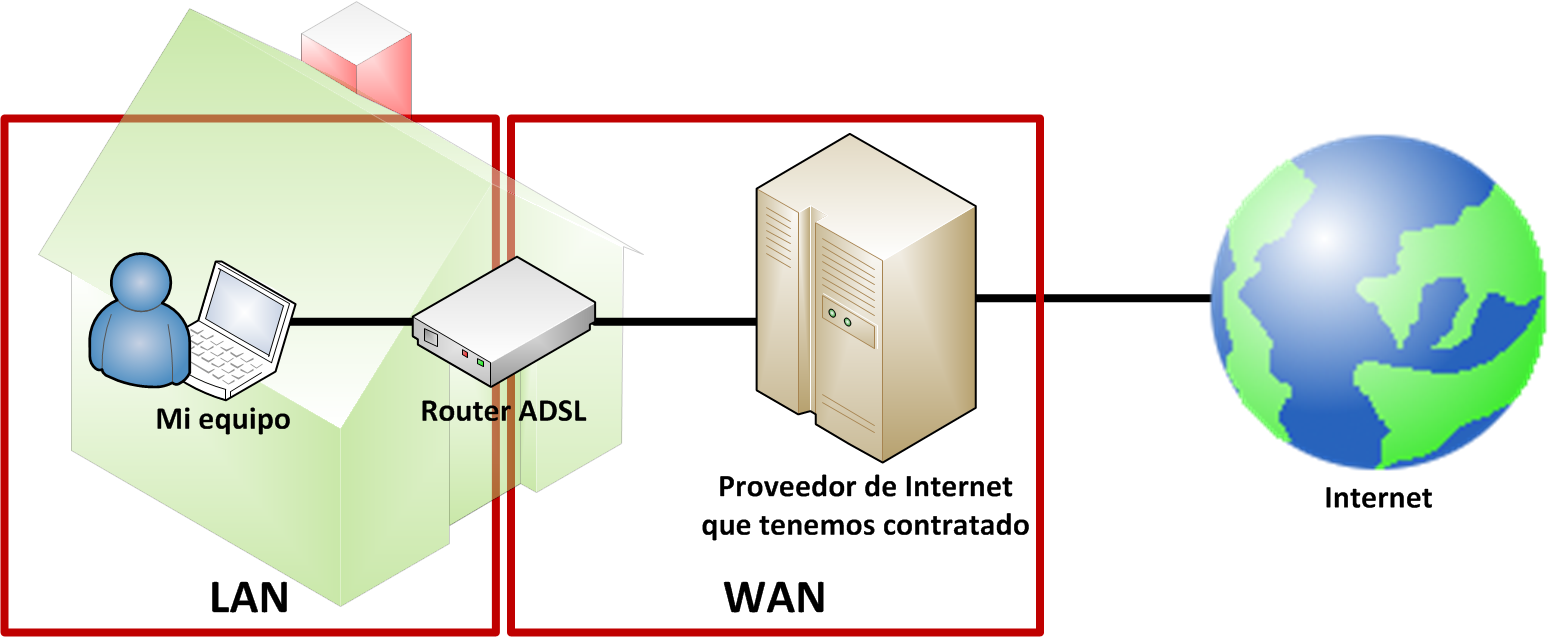
The answer is yes, but with one change to the LAN: a LAN uses cables, while the one that uses Wi-Fi has no cables. To tell the wired LAN from the wireless one, the term WLAN was coined, from Wireless Local Area Network; there is no great mystery here.
Accordingly, our networks would look as follows, not changing much, if anything at all, just removing a cable here and there –notice in the drawing that we represent the router’s Wi-Fi coverage with the purple circle inside the WLAN:

In the following examples we will see how the Wi-Fi of a Wi-Fi ADSL Router works, with an illustrative but real example. It would work the same way if we used our smartphone or another device as a Wi-Fi Access Point.
Suppose we write an email to a friend on our laptop, which is connected to the Internet via Wi-Fi thanks to a Wi-Fi ADSL Router -which, remember, acts as a Wi-Fi Access Point-, and we press the send button. Our laptop cannot simply take the email and hand it directly to the Wi-Fi ADSL Router; it doesn’t know where it is, it only knows whether it has coverage or not –whether it is within the router’s Wi-Fi range. If the email went over a cable it would be much simpler, since it goes straight along the path set by the cable to the ADSL Router, with nothing else needed.
Since we are using Wi-Fi, the laptop sends the email in all directions, out to the maximum distance of the laptop’s Wi-Fi coverage radius (note: don’t mix up Wi-Fi coverages. The laptop is a transmitter and receiver just like the Wi-Fi ADSL Router, so the Wi-Fi ADSL Router has one Wi-Fi radius and the laptop a different one; we color the laptop’s Wi-Fi radius blue and the router’s purple in the images). As we can see in the following image, since the email is sent in all directions through the air, in one of them it reaches the Wi-Fi Router and the router captures the email.
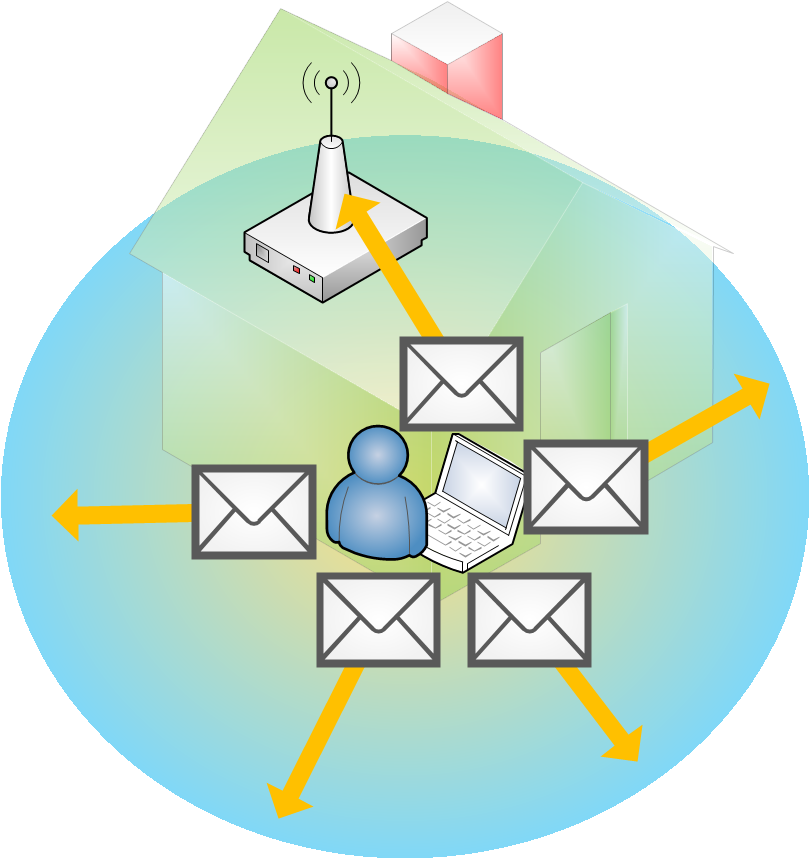
Note: Before continuing, let me point out that in this example we use an email, but it can be any other type of data out of all that exist (videos, music, web pages, passwords, bank accounts, etc., anything that can be sent and received over the Internet).
Then the Wi-Fi ADSL Router sends the email to the provider. And the provider sends it to the recipient of the email (our friend), who is in some corner of the Internet.
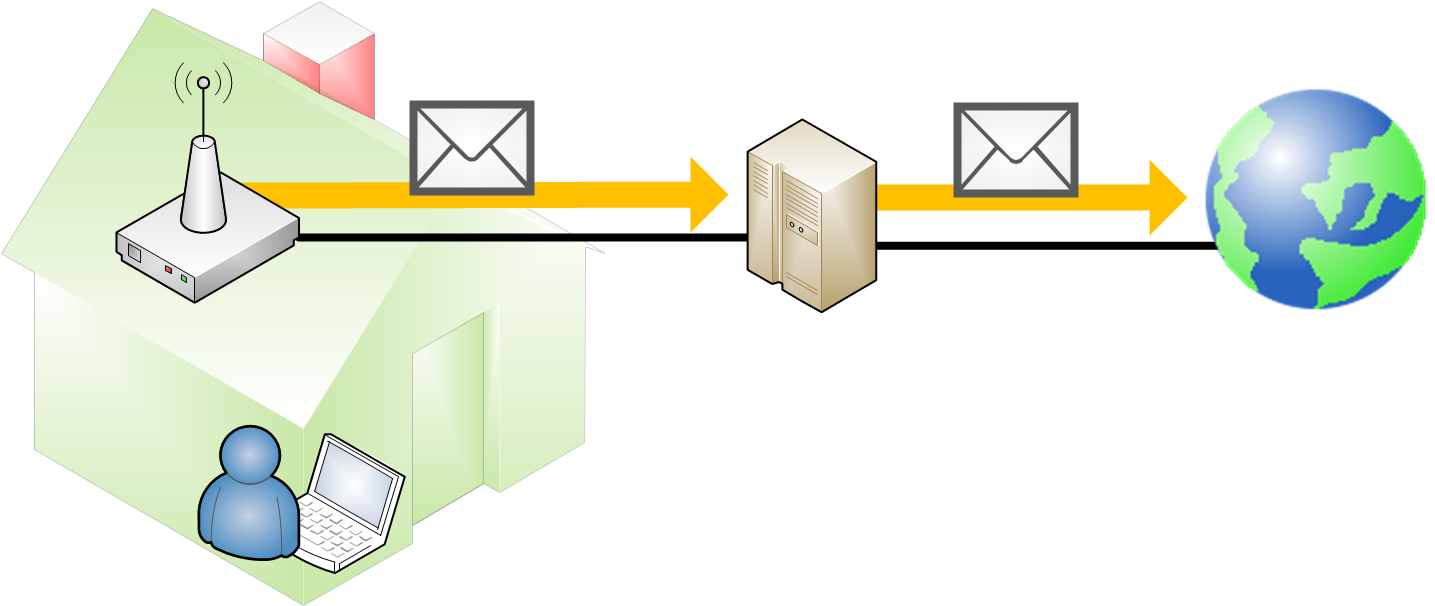
Our friend receives the email, reads it and replies. So, for us to receive our friend’s reply at our Wi-Fi ADSL Router, the message follows the opposite path to the outbound one.
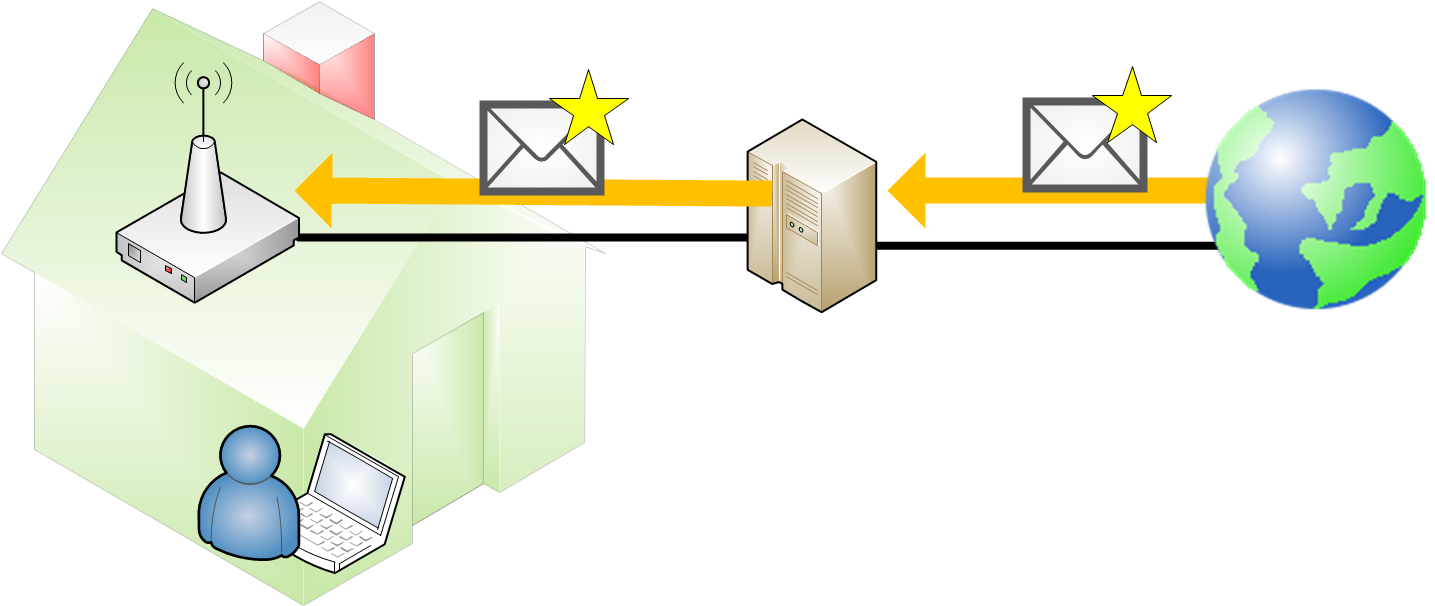
Once it reaches the Wi-Fi ADSL Router, the router is now the one that sends the email in all directions so that our laptop captures it and shows it to us.
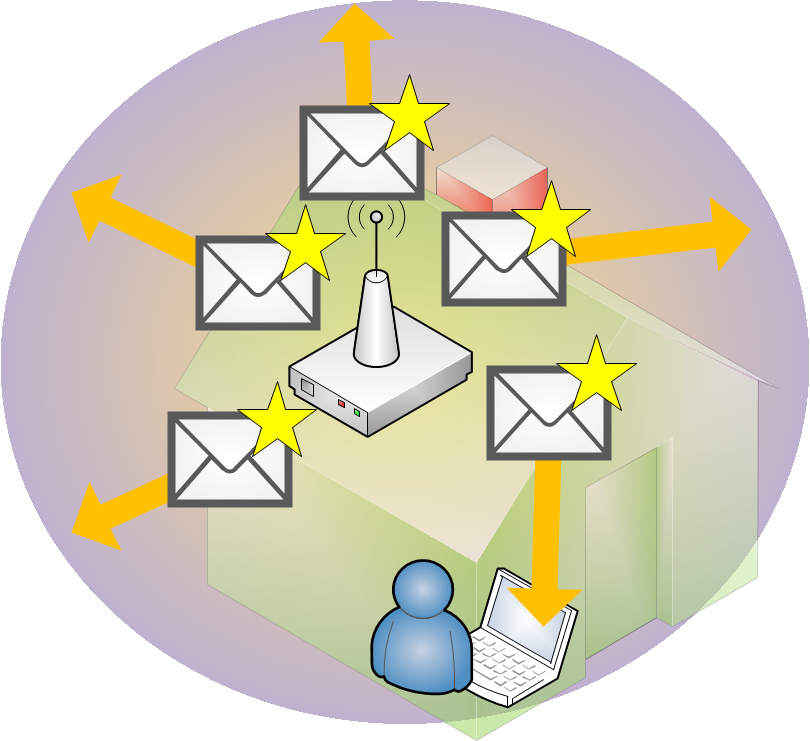
This is how Wi-Fi networks work. You have probably already deduced some of the dangers inherent in the process of sending data from our computer to the Wi-Fi ADSL Router and vice versa.
“Wireless Access Point – How Does Wi-Fi Work?” by Ramón Invarato at jarroba.com, licensed under Creative Commons Attribution-NonCommercial-ShareAlike 3.0. Registered at Safe Creative.

You may also like


ADSL Router – How Does That Box That Just Gives You Internet Work?
Find out how your ADSL router works: LAN vs. WAN, RJ-45 and RJ-11 ports, and what's really inside that box your ISP sends you.
Fault-Tolerant, Highly Available Apache Kafka Cluster
Learn how to set up a Kafka cluster with multiple brokers, distributed across several real cloud servers, step by step.
Leave a comment