
An image is a table of numbers
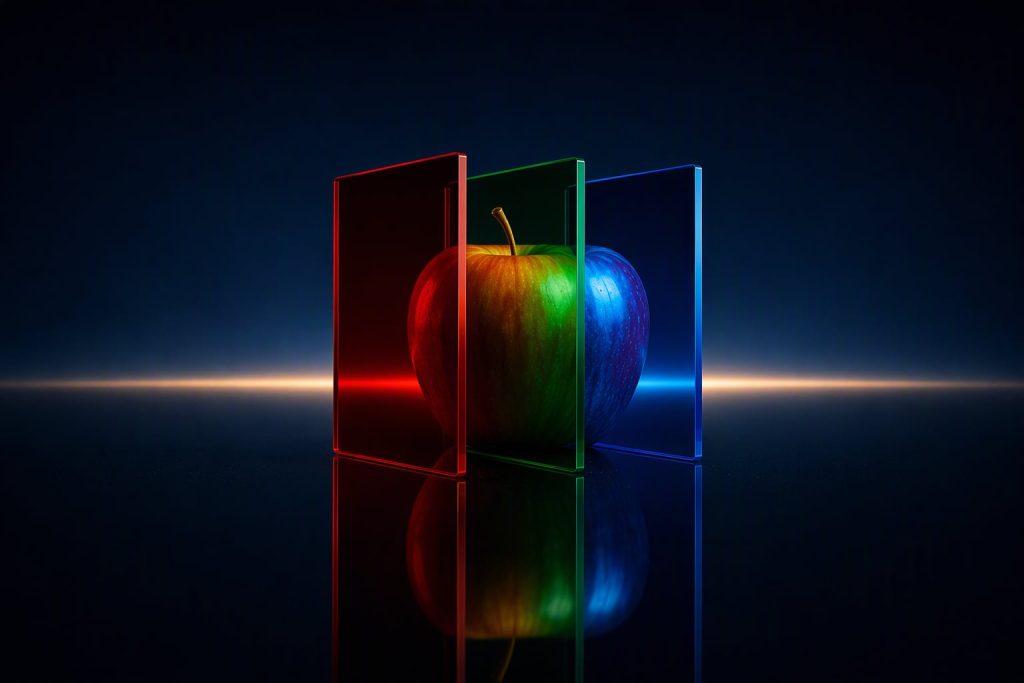
A photo is a table of numbers: three per pixel, red, green and blue. See it on an apple and why its red is thousands of numbers. AI course, 0.2.
AI from the First Bit › Level 0 — How a machine sees the world part 2 of 4
To a computer, a photo is a table: rows and columns of cells, and in each cell three numbers, one per color. And on the skin of an apple those numbers change so much from one area to another that the same red is thousands of different triplets.
Try this first
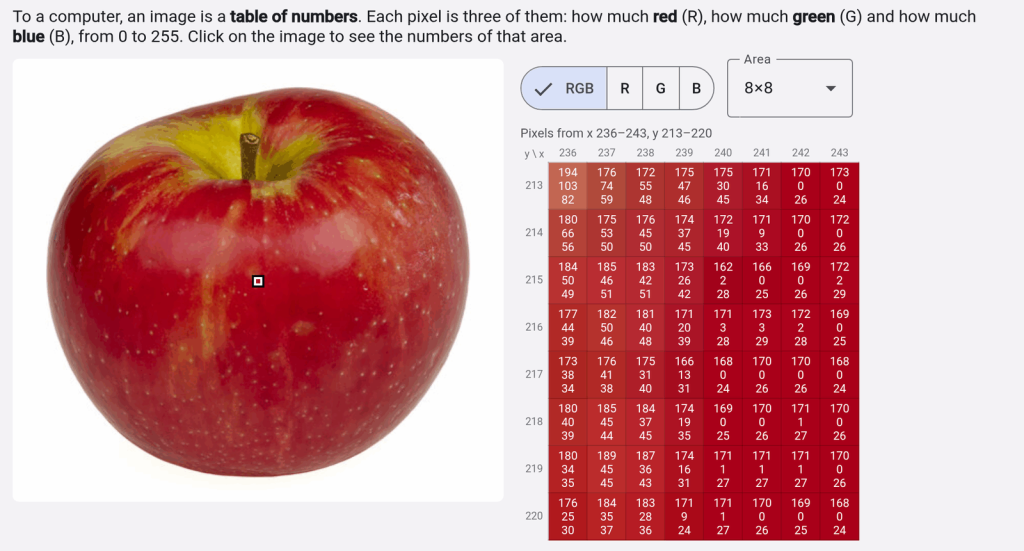
Open this apple in the Images tool. On the left you will see the photo; on the right, a table of 8 × 8 cells, each painted in its own color and with three numbers inside. Each cell is a pixel, one of the dots the image is made of, and its three numbers say how much red, how much green and how much blue it has, from 0 to 255. Click anywhere else on the apple and the table changes to the pixels in that area.
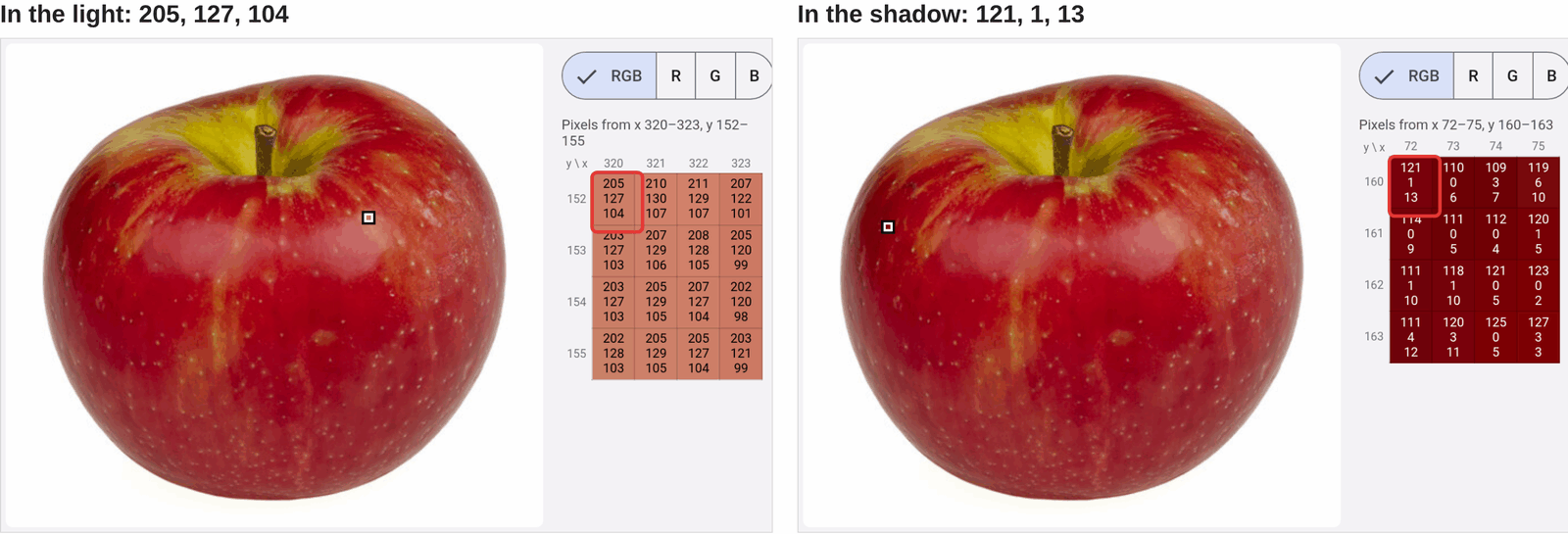
Now compare two areas of the same red skin. Open the part where the light hits it: the numbers hover around 205, 127, 104. And now the edge that stays in shadow: they hover around 121, 1, 13.
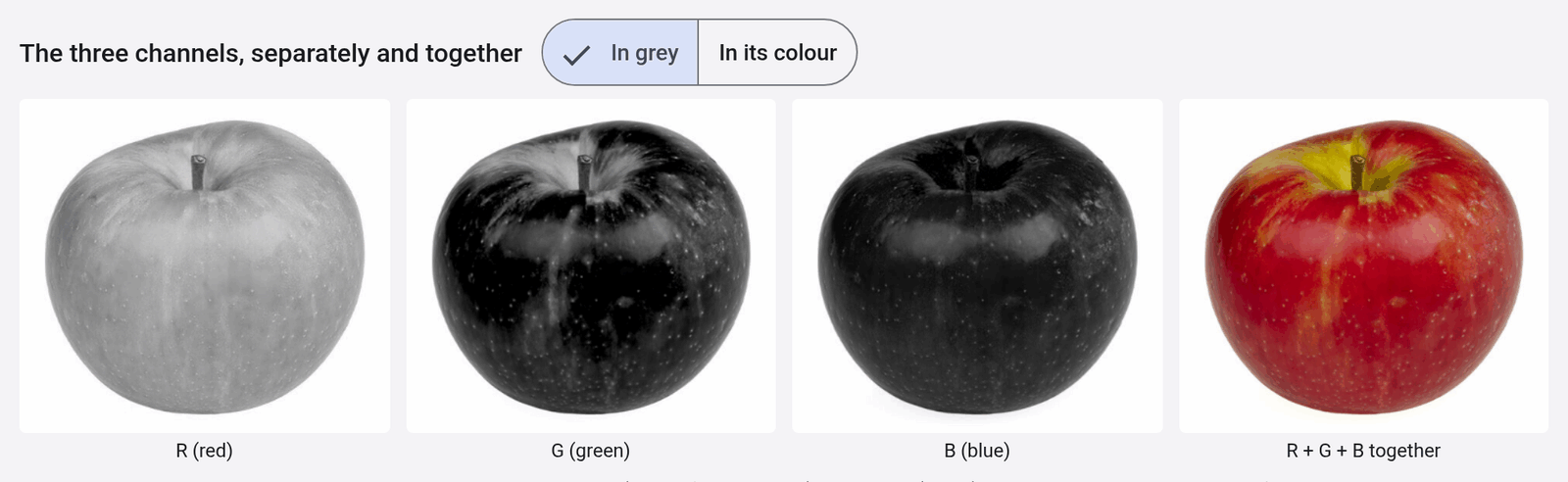
Scroll down to The three channels, separately and together. The same apple appears four times: three in gray and one in color.
What just happened
Each pixel stores three numbers, one per color, and each goes from 0 to 255: 256 possible values, exactly what fits in one byte (8 bits). With three numbers like that you get 256 × 256 × 256 = 16,777,216 different colors. The apple photo is 480 × 433 pixels, so that is 207,840 pixels and 623,520 numbers. Those 623,520 numbers are the whole photo.
Why three colors and not two or five? Because the human eye has three types of cones, the cells that tell colors apart, and each type is most sensitive to a different part of the light: short, medium and long wavelengths (Cone cell, on Wikipedia). A screen takes advantage of that: by mixing just three lights, in the right proportion, it makes the eye see a very wide range of colors.
The channels are those three tables taken separately. In each gray image there is only one number per pixel: white is 255 (a lot of that color) and black is 0 (none). In the R channel the apple comes out almost white, because it has a lot of red; in G and B it comes out almost black. The fourth image puts together the three numbers of each pixel and the color photo comes back.
One detail, because Images also has a Base64 tab (a way of writing any bytes with letters and numbers, so they can be pasted as text): what shows up there are the bytes of the compressed file (a JPEG, a PNG), which stores the image far more compactly, not this table. To get to the pixels you have to decompress it, which is what the tool does before showing them to you.
The classic mistake
You might think color is a property of the apple: the apple is red, and that is that. To the computer, it is not. Put the two triplets from before side by side: in the light, 205, 127, 104; in the shadow, 121, 1, 13. All three numbers change. The red drops from 205 to 121, and the one that changes most is the one you would least expect on a red apple: the green, which goes from 127 to 1. They are two triplets that look nothing alike, and both are “the apple’s red”.
A program that looked for apples by “the red number” would fail as soon as the light changed. What has to be recognized is a shape: a pattern across many neighboring pixels (how that is done is covered in Convolution).
Try it yourself
In the apple in the Images tool, next to the stem, there is a yellow area. Before clicking on it, make a guess: what numbers do you expect? Which of the three will be the lowest? Click and check. Then switch from RGB to R, G and B with the buttons above the table and see which channel keeps almost everything.
Then open the Color HEX/RGB/HSL tool and type the two triplets from before, one after the other: rgb(205,127,104) and rgb(121,1,13). The tool converts them to another way of describing a color, HSL (hue, saturation, lightness). Which of the three numbers changes least between the lit area and the shaded one? What does that tell you about what “red” means? (A hint: the hue is an angle on the color wheel, from 0 to 360, so 354 is very close to 0.)
And if you like, in Images you can load a photo of your own and see its numbers.
Further reading
- On Jarroba, Binary: Combinations and Conversion explains the RGB model with its 24 bits per pixel (8 per channel), and in What Is Clustering? Ricardo Moya uses hair color in RGB as the data for a machine learning example.
- RGB color model, on Wikipedia: the physical principles behind it, its numeric representation and its use in web design.
“An image is a table of numbers” by Ramón Invarato at jarroba.com, licensed under Creative Commons Attribution-NonCommercial-ShareAlike 3.0. Registered at Safe Creative.

You may also like
What is a model (and why a straight line already counts as one)
What a model is, what training and predicting mean, with a line you fit by dragging points. And why a model does not understand its data. AI course, 0.4.
A corrupted bit: how to fix it without knowing which one it is
How a computer finds and fixes a corrupted bit without knowing which one it is: the Hamming code, its limits and SECDED. AI course, 0.3.
Leave a comment