
Everything is a number (yes, even your name)
To a machine, everything is a number: a letter, an emoji, your name. See it in binary and learn why one emoji is five characters. AI course, 0.1.

AI from the First Bit › Level 0 — How a machine sees the world part 1 of 4
Before we talk about models, networks or anything that sounds like artificial intelligence, there is a duller question to settle first: what does a computer see when it reads a letter? The short answer is “a number”. The full answer (an emoji can be several numbers glued together) can be checked in 30 seconds without writing a line of code.
Try this first
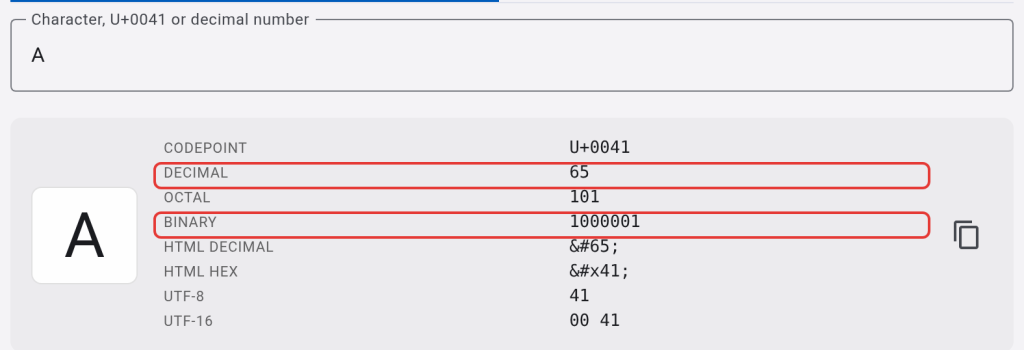
Open jarroba.com/tools/en/unicode?q=A. It loads the character search with the letter A already filled in. You will see several rows of data, and two of them matter right now: DECIMAL 65 and BINARY 1000001. For the computer, A is the number 65, and 65 written in binary is 1000001.
Now, in the same search box, delete the A and paste this: 🚀. A single result, with a different code (U+1F680). Then delete the rocket and paste this: 👨👩👧. Look at how many rows come up this time.
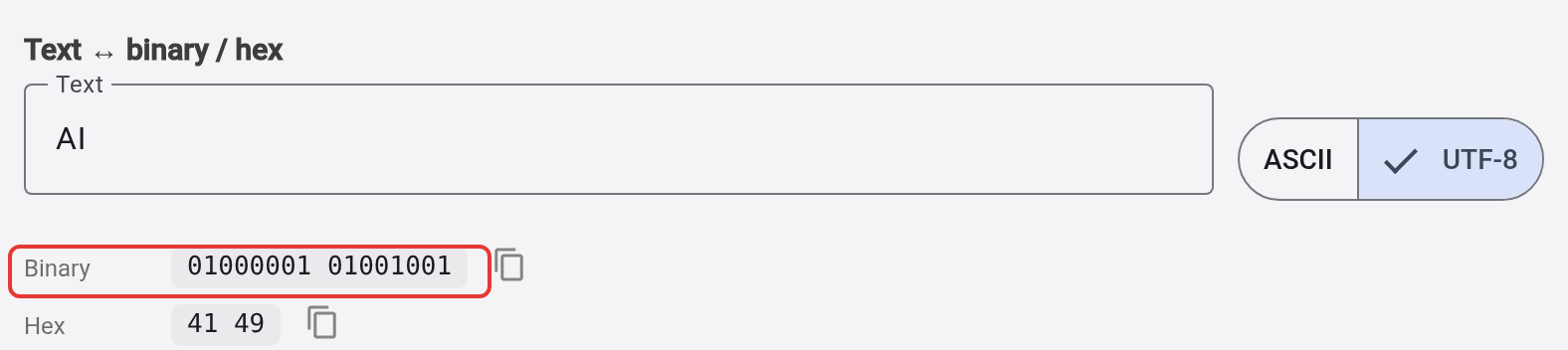
Finally, open jarroba.com/tools/en/baseconverter?tab=codes&text=AI. You will see the word “AI” already converted to binary and hexadecimal, letter by letter. Change the text to your own name and watch the binary row grow.
What just happened
For a computer there are no letters, emojis or colors: there are only numbers, and everything else is a way of drawing those numbers on your screen. The letter A is the number 65 because someone had to decide on an order, and that order was published in 1963 in a table called ASCII (ASA X3.4-1963, on Wikipedia). Decades later, when room was needed for Chinese, Arabic, emojis and thousands more symbols, that table was extended into a much bigger standard: Unicode, which gives every possible character its own number, called a code point, written as U+ followed by a value in hexadecimal. U+0041 is just 65 written in another base, the same idea you just saw in the converter. Unicode reserves room for 1,114,112 code points in total, a fixed limit (Unicode Consortium, chapter 1 of the standard); only part of that space is assigned to real characters, and the list grows with every new version of the standard.
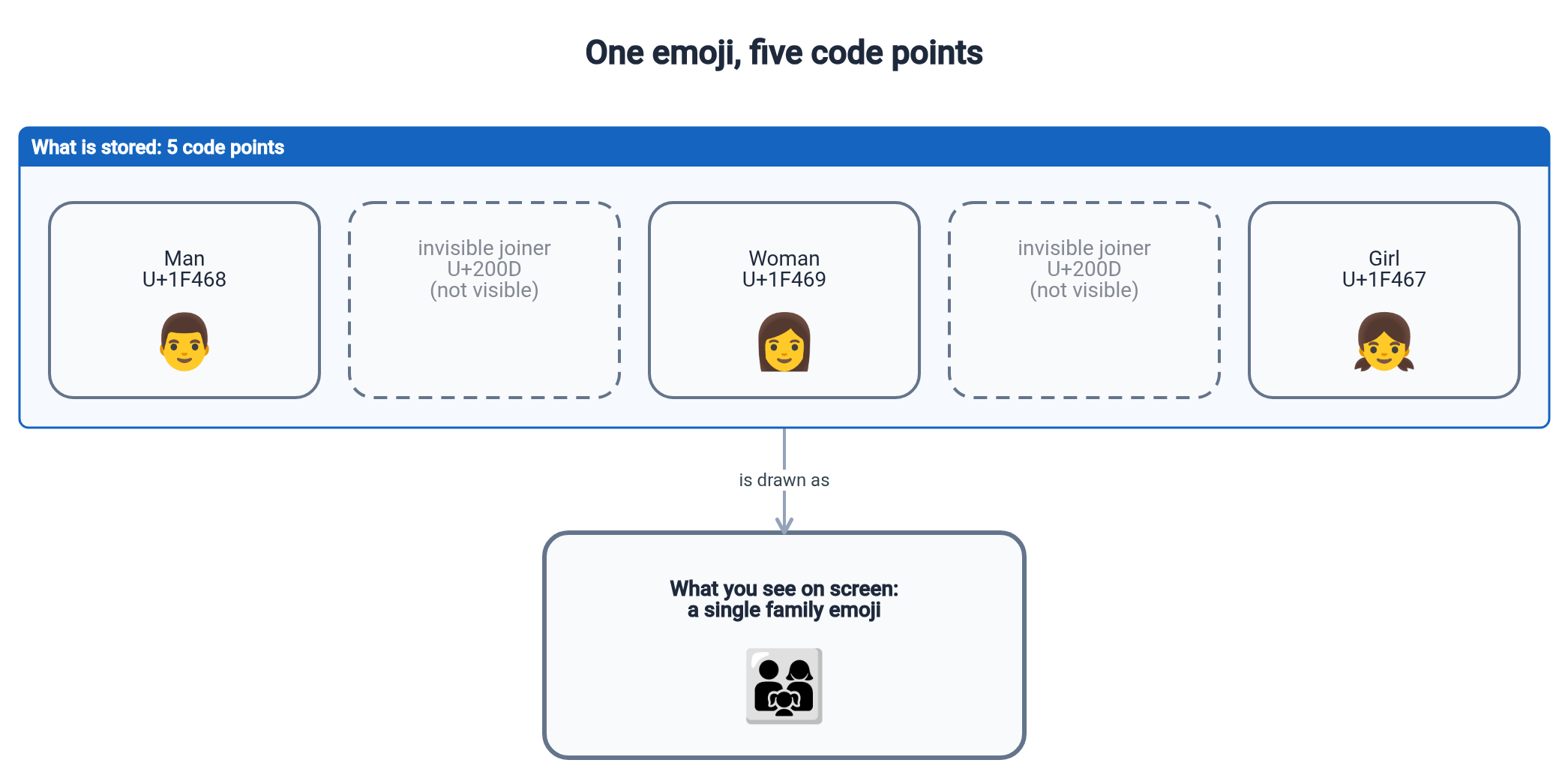
The rocket 🚀 has a single code point because it fits in one slot: it is a character like any other, except that it draws a spaceship instead of a letter. The family 👨👩👧 is different. If you looked at the result in the Unicode / ASCII tool, you will have seen that it is not one character but five joined together so that your screen draws them as one: man (U+1F468), an invisible joining character (U+200D, the zero-width joiner), woman (U+1F469), another joiner and girl (U+1F467). Unicode does not have a slot for every possible combination of family (that would be an impossible number of slots); instead, it takes loose pieces and joins them with that character you cannot see but that counts.
The classic mistake
You might think a character is a byte, and for years, for English text, that was true: ASCII fit easily in a byte. It breaks with the first accent, the first Chinese character or the first emoji. A byte has only 256 possible values (from 0 to 255); in the UTF-8 row of the search tool (UTF-8 is the encoding used by 99% of websites, according to W3Techs) the rocket takes up four: F0 9F 9A 80. The family above, with its five code points, takes up 18 (4 + 3 + 4 + 3 + 4).
It is the same count a language model (an LLM, short for large language model) makes when it chops your text into the pieces it really works with. That is tokenizing (splitting into tokens; it is covered in How text is split up): the price of using a model is counted in tokens, not letters, and a language with more accents or a text with more emojis spends more tokens for the same number of letters.
Try it yourself
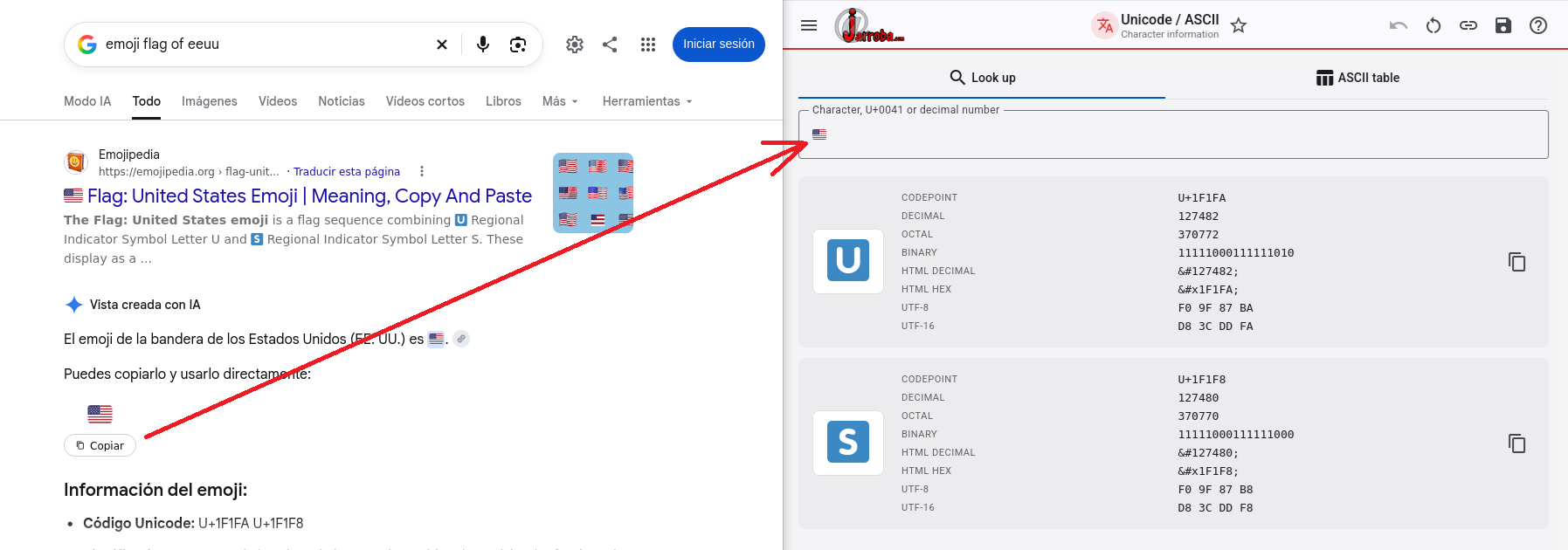
Search Google or Emojipedia for the flag emoji of your country (for example, “United States flag emoji”), copy it from there and paste it into the Unicode / ASCII tool. Before looking at the result, try to guess how many code points it will have. Then look at the two that come up (U+1F1xx): do you see any relationship between those two codes and the two letters of the country code (US, MX, FR…)? You do not have to work it out completely: it is enough to suspect that it is no coincidence.
Here is how it looks with the flag of the United States:
A side note, in case it happened to you: on Windows, many flags do not show up as flags, but as two loose letters (“US”, “MX”…). That is Microsoft’s doing: its emoji font, Segoe UI Emoji, does not include country flags (Office Watch). It is, in fact, another example of what this article is about: the same code points are drawn differently depending on who interprets them.
Further reading
- Unicode, on Wikipedia: its organization and its history.
- ASCII, on Wikipedia: the full timeline, with the revisions of 1963, 1967 and 1986.
- If you want the topic explained more slowly and with code examples, Jarroba has earlier articles on it, more technical and without the tools in between: Binary Number System, Binary: Combinations and Conversion, Units of Measurement for Information, Bit.
“Everything is a number (yes, even your name)” by Ramón Invarato at jarroba.com, licensed under Creative Commons Attribution-NonCommercial-ShareAlike 3.0. Registered at Safe Creative.

You may also like

What is a model (and why a straight line already counts as one)
What a model is, what training and predicting mean, with a line you fit by dragging points. And why a model does not understand its data. AI course, 0.4.

A corrupted bit: how to fix it without knowing which one it is
How a computer finds and fixes a corrupted bit without knowing which one it is: the Hamming code, its limits and SECDED. AI course, 0.3.
Leave a comment