
Android Error – A Newer ADT Version Is Required
Getting the Android error "This Android SDK requires Android Developer Toolkit version X or above"? Learn how to install or update the ADT plugin in Eclipse.
The error can show up either in a pop-up window or in the Android preferences:
This Android SDK requires Android Developer Tookit version X or above. Currente version is Y. Prease update ADT to least version.
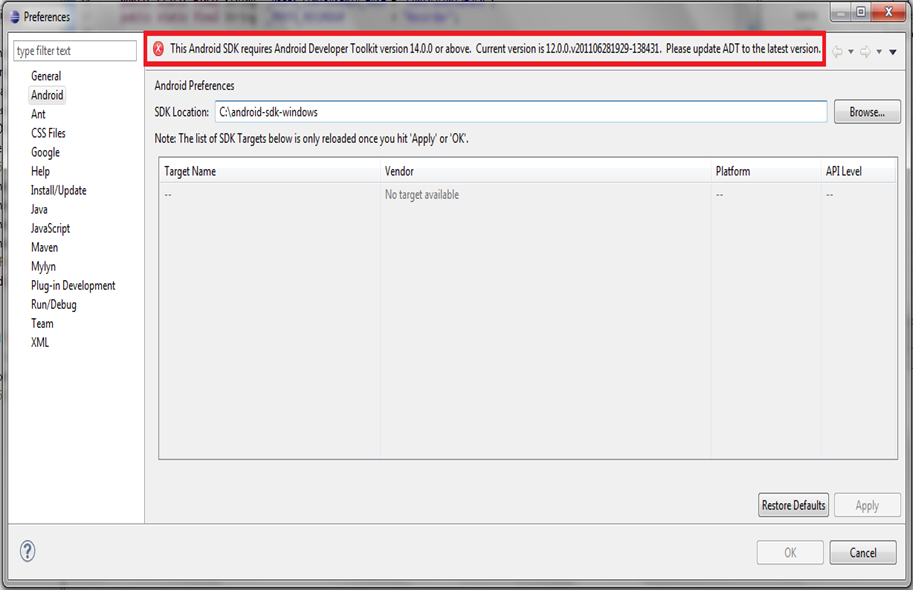
This error may happen because we have updated only the SDK without including the ADT or other components.
Solution
To fix it, we need to install the ADT if it isn’t installed, or update it if it’s out of date.
We go to “Help” and click “Install New Software…”

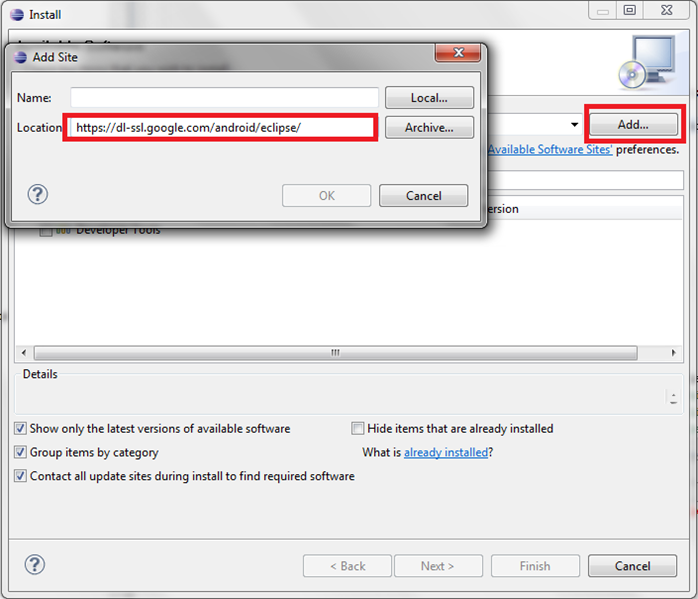
We click the “Add…” button, type a name in the pop-up window, and in “Location” we enter:
https://dl-ssl.google.com/android/eclipse/
You can find this same link on the official site, in ADT Plugin for Eclipse.
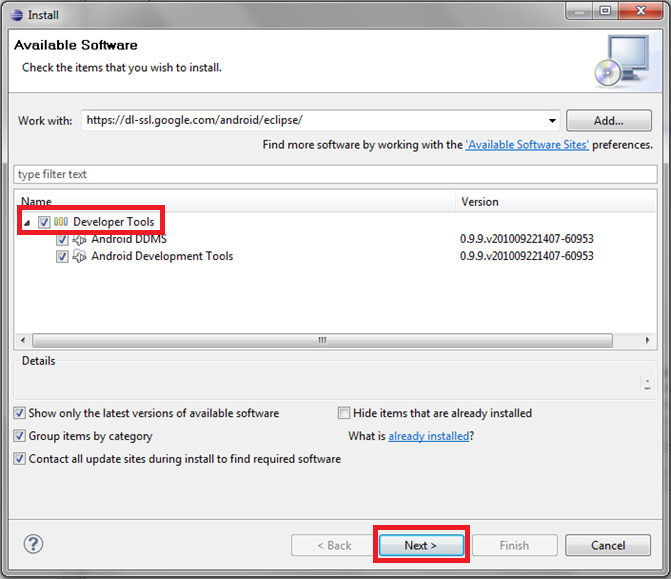
Now we select “Android Development Tools” (or everything), and then “Next >”. If it isn’t installed, it will be installed.
“Android Error – A Newer ADT Version Is Required” by Ramón Invarato at jarroba.com, licensed under Creative Commons Attribution-NonCommercial-ShareAlike 3.0. Registered at Safe Creative.

You may also like


Android Error – Problems Installing the ADT or SDK
Getting "Cannot complete the install because one or more required items could not be found" when installing the Android ADT or SDK? Here is how to fix it.
Android Error – Higher Compiler Compliance Level Required
Getting the Android error "requires compiler compliance level" in Eclipse? Here are three simple solutions to fix it step by step.
Android Error – Android SDK Not Found
Fix the Android error "Location of the Android SDK has not been setup in the preferences" that appears when you create a new Eclipse workspace.
Android Error – Eclipse Doesn’t Show the Android Buttons After Installing the ADT and the SDK
Eclipse doesn't show the Android SDK Manager and AVD Manager buttons after installing the ADT and SDK? Here's how to bring them back in a few steps.
Leave a comment