
Android Error – Eclipse Doesn’t Show the Android Buttons After Installing the ADT and the SDK
Eclipse doesn't show the Android SDK Manager and AVD Manager buttons after installing the ADT and SDK? Here's how to bring them back in a few steps.
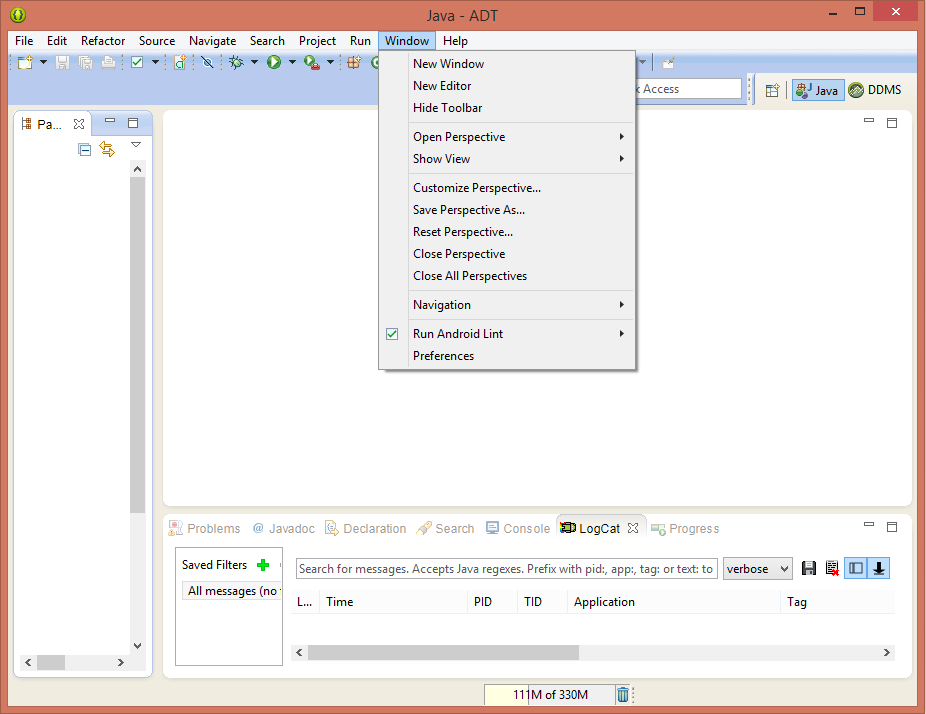
This error (although it isn’t really an error, the buttons just aren’t displayed) shows up after installing Eclipse: you can’t see the buttons for the Android SDK Manager or the Android Virtual Device Manager (also called AVD Manager). In other words, we look for them in Eclipse where they should be, both in the toolbar and in the Window menu, and they don’t appear.
Solution
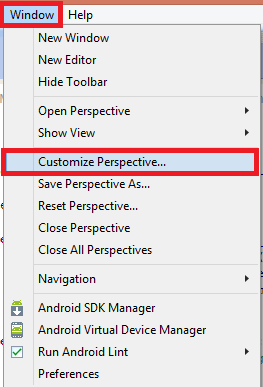
It’s as simple as going to the "Window" menu in Eclipse and selecting "Customize Perspective…"
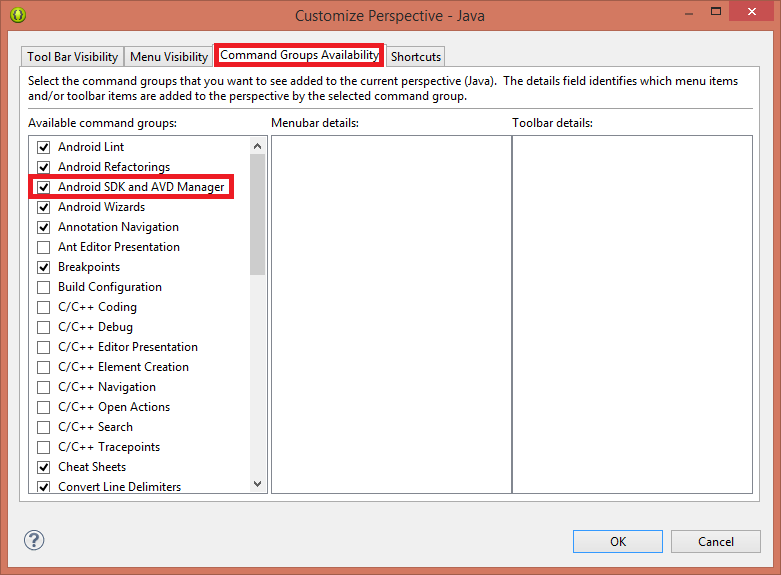
In the window that opens, first go to the "Command Groups Availability" tab and select "Android SDK and AVD Manager".
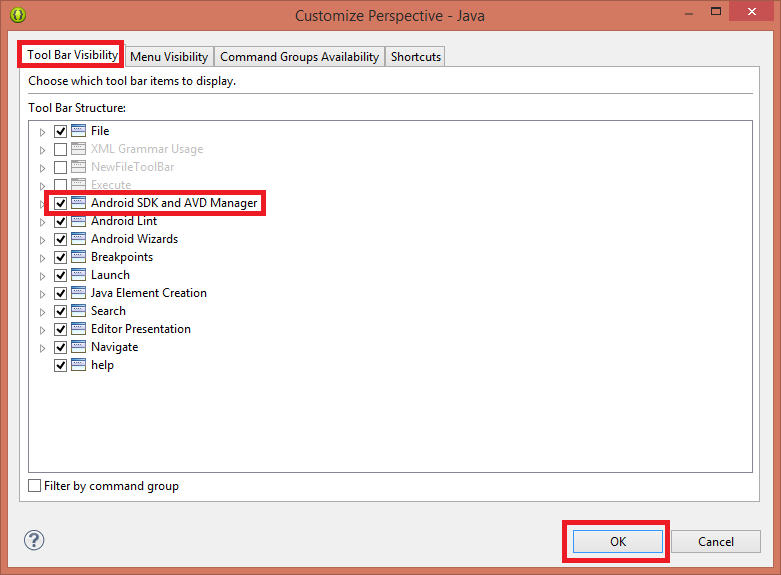
Next, go to the "Tool Bar Visibility" tab, check "Android SDK and AVD Manager" and click "OK" (it’s important to follow the tabs in this order, otherwise Eclipse won’t let you check that last one).
When you close the window, you’ll see that the Android SDK Manager and Android Virtual Device Manager icons have indeed appeared, both in the toolbar and in the Window menu.
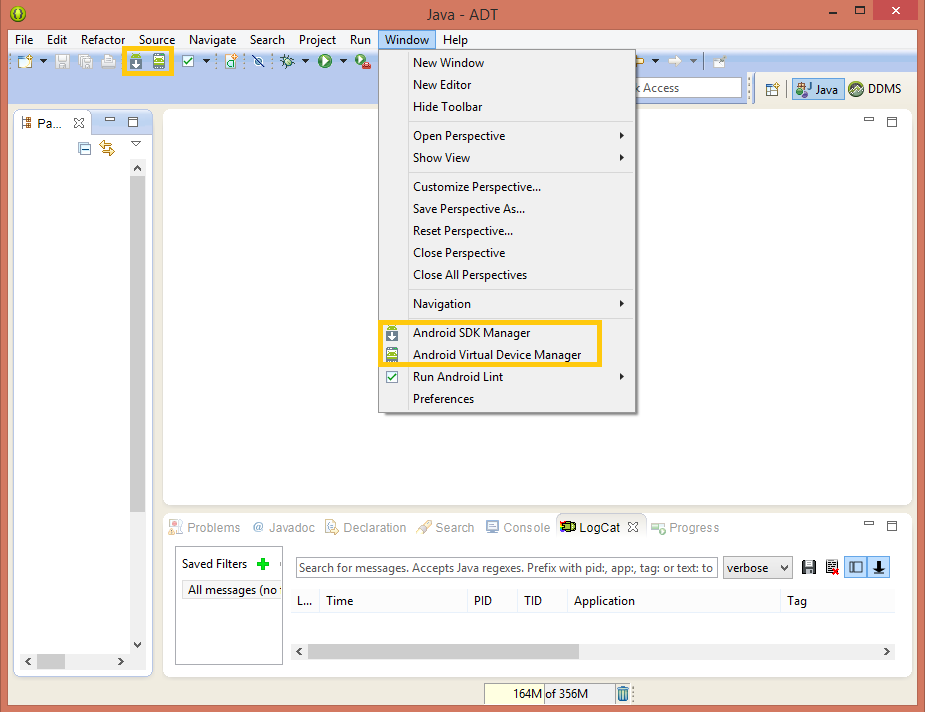
“Android Error – Eclipse Doesn’t Show the Android Buttons After Installing the ADT and the SDK” by Ramón Invarato at jarroba.com, licensed under Creative Commons Attribution-NonCommercial-ShareAlike 3.0. Registered at Safe Creative.

You may also like


Android Error – Problems Installing the ADT or SDK
Getting "Cannot complete the install because one or more required items could not be found" when installing the Android ADT or SDK? Here is how to fix it.

Installing the Android SDK and Linking It with Eclipse
Learn how to install the Android SDK and link it to Eclipse with the ADT plugin, step by step, so your Android development environment works perfectly.
Android Error – Android SDK Not Found
Fix the Android error "Location of the Android SDK has not been setup in the preferences" that appears when you create a new Eclipse workspace.
Android Error – A Newer ADT Version Is Required
Getting the Android error "This Android SDK requires Android Developer Toolkit version X or above"? Learn how to install or update the ADT plugin in Eclipse.
Leave a comment