
Android Error – Error in Imported Libraries
Getting "Conversion to Dalvik format failed with error 1" in your Android project? Here's how to fix the error caused by imported libraries, step by step.
When you get the following error in a project:
Conversion to Dalvik format failed with error 1
Solution
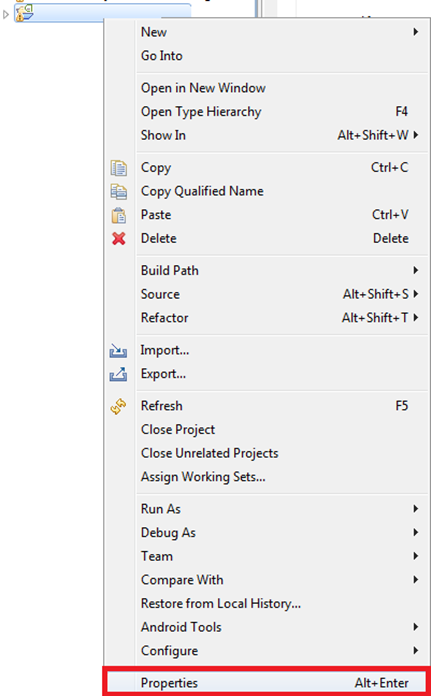
Right-click the project and choose "Properties".
Go to the Android tab and, at the very bottom, remove all the libraries that are listed. Apply the changes and then add back the ones you need.
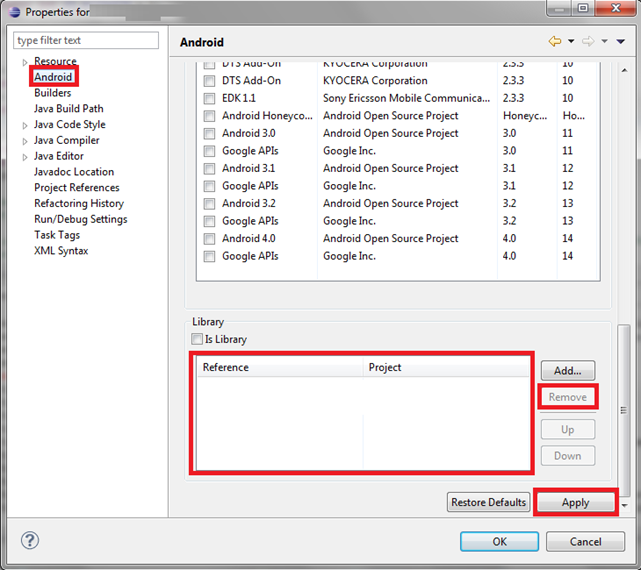
Close the window and check that you no longer get any errors.
If you still get the same error, go back to the previous tab and remove the libraries again. Leave them removed this time.
Then, in the same window, go to “Java Build Path” and open the Libraries tab.
You need to remove all the library references except the one called “Android X.Y” (where X.Y is the version of the operating system; in the example it is 2.1).
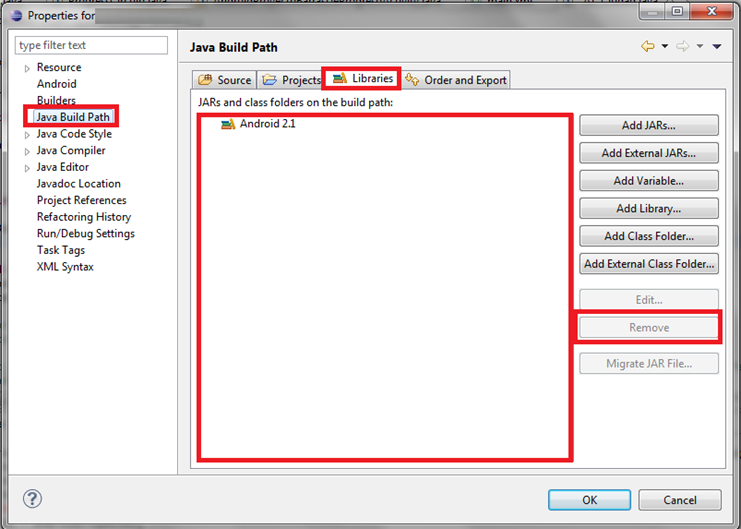
Close the window and look at your class to check that no red crosses appear. If there are none, it will work now.
If there are red crosses, take note of where they are, since those will be libraries that haven’t been removed, and go back to the previous window.
Now go to the Source tab. There, delete everything except the folders ending in “/gen” and “/src”.
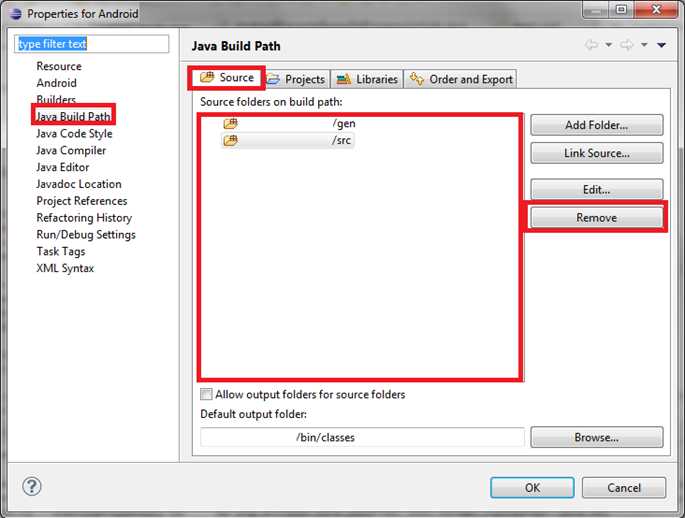
Close the window and find the ones you noticed earlier that had the red cross and now don’t. Delete them manually. Everything should work now.
“Android Error – Error in Imported Libraries” by Ramón Invarato at jarroba.com, licensed under Creative Commons Attribution-NonCommercial-ShareAlike 3.0. Registered at Safe Creative.

You may also like


Android Error – Problems with an Imported or Sample Android Project
Getting a FileNotFoundException on AndroidManifest.xml with an imported or sample Android project in Eclipse? Here is how to fix it step by step.
Android Error – Lost References
Getting errors across your whole Android project and "The type java.lang.String cannot be resolved"? Here's a quick fix using Organize Imports in Eclipse.
Android Error – Skipping an Indexed File
Getting the "skipping index file" error in your Android project? Learn how to fix it by removing the file, cleaning the project and restoring the file.
Android Error – Errors on Methods with @Override Annotations, Listener Types or Overridden Methods
Getting errors on every @Override annotation after importing or copying code into your workspace? Find out why it happens and how to fix it.
Leave a comment