
MySQL Database Course – Part I – (Video)
Learn how to install MySQL Server and MySQL Workbench, set the root password, and get ready to work with relational databases in this video tutorial.
Series: MySQL Database Course part 1 of 5
Part I: Installing MySql Server and MySql Workbench
With this post we start a course on relational databases using MySql as our database. It is Open Source, so everyone can download it and work with it, whatever the operating system. Besides, it is a very powerful and very robust database that has nothing to envy from paid databases like Oracle or SQL Server in certain respects, although that last point is very "debatable".
Note
WIKIPEDIA DEFINITION: A relational database is a database that complies with the relational model, which is the most widely used model today for implementing pre-planned databases. It allows you to establish interconnections (relations) between data (which is stored in tables), and through those connections relate the data of both tables, hence its name: "Relational Model". After its foundations were postulated in 1970 by Edgar Frank Codd, of the IBM laboratories in San José (California), it was quickly established as a new paradigm in database models.
In this first part of the course (AS EXPLAINED IN THE VIDEO) we will show which tools you need to work with the MySql database: the "MySql Server" and the "MySql WorkBench". Once these tools are installed, we will set a password for the "super-user" (the "root") so that you can connect to the database and work with it.
Below are the links and commands you need to follow the video:
Link to the MySql website: Developer Zone (MySQL)
Link to download MySql Server: Download MySQL Community Server (MySQL)
Link to download MySql WorkBench: http://dev.mysql.com/downloads/workbench/5.2.html
Command to access MySql from the terminal for the first time:
/usr/local/mysql/bin/mysql -u rootCommand to access MySql once the password has been set:
/usr/local/mysql/bin/mysql -u root -pQuery to see the existing hosts and users in MySql:
SELECT host,user FROM mysql.user ORDER BY user DESC;Query to set the password for the "root" user on the "localhost" host:
SET Password FOR 'root'@'localhost'=Password('1234');In this case the password is 1234, but you can use whatever password you want.
Note
IMPORTANT:
This video tutorial was recorded on a "MAC OS X" operating system. The steps shown are valid (except for some very specific details) for any Linux distribution. The steps for Windows are much simpler, since the MySql Server installer takes care of creating the user and password for you.
VIDEO TUTORIAL PART I
“MySQL Database Course – Part I – (Video)” by Ricardo Moya at jarroba.com, licensed under Creative Commons Attribution-NonCommercial-ShareAlike 3.0. Registered at Safe Creative.

You may also like


MongoDB Course – Part I (Video) – “Introduction”
Start our practical MongoDB course: learn what a document-oriented database is, how MongoDB stores JSON data, and how it compares to relational databases.
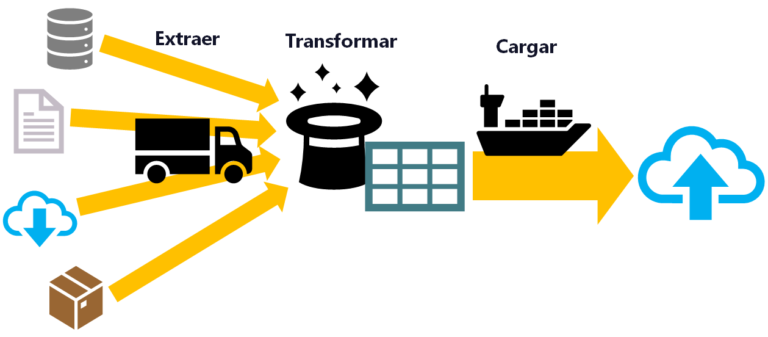
ETL: Extract, Transform, and Load
ETL is used for massive, real-time data processing (Big Data): Extract data from different sources, Transform it into a useful structure, and Load it where you can use it.
Leave a comment