
MySQL Database Course – Part III – (Video) Definition/Manipulation
Learn the basics of SQL to work with databases. You need to tell apart the two types of statements: Data Definition and Data Manipulation Language.
Series: MySQL Database Course part 3 of 5
Part III: Basic MySql Statements (Definition & Manipulation)
In this third part of the database course we are going to learn the basic concepts for using the MySql language and working with databases. The first thing to tell apart are the two types of statements that exist in MySql, which are the "Data Definition or Manipulation Language". The "Data Definition Language" statements let us create, modify or delete databases and database tables, and the "Data Manipulation Language" statements let us work with the data in the database, that is, they let us do the well-known create, delete, update and query operations. The statements are the following. The video explains how to run them in MySql WorkBench, and this same post shows their syntax in detail, along with the examples from the video:
Data Definition Language => CREATE , ALTER , DROP
Data Manipulation Language => SELECT , INSERT , UPDATE , DELETE
THEORY:
Data Definition Language:
1.- CREATE: Used to create databases and tables.
Create a database:
CREATE DATABASE nombreBasededatos;Create a table:
CREATE TABLE nombreTabla (nombreCampo1 Tipo(Tamaño), nombreCampo2 Tipo(Tamaño), ...);2.- ALTER: Used to modify database tables (add or delete columns in a table).
Add a column to an existing table:
ALTER TABLE tabla ADD COLUMN [nueva sintaxis columna] AFTER nombreColumna;Delete a column:
ALTER TABLE tabla DROP COLUMN nombreColumna;3.- DROP: Used to delete databases and database tables.
Delete a database:
DROP SCHEMA nombreBaseDeDatos;Delete a table:
DROP SCHEMA nombreBaseDeDatos;
Data Manipulation Language:
1.- SELECT: Used to select data from the database.
SELECT <Lista de Columnas> FROM <Lista de Tablas> WHERE <condición>Examples used:
SELECT * FROM MiPrimeraBaseDeDatos.Coche;

SELECT Marca,Caballos FROM MiPrimeraBaseDeDatos.Coche;
2.- INSERT: Used to insert data into the database.
INSERT INTO nombreTabla (<Lista de Columnas>) VALUES (‘<Lista de Valores>’);Example used:
INSERT INTO MiPrimeraBaseDeDatos.Coche (Matricula,Marca,Modelo,Caballos)
VALUES ('0001bbb','Renault','Clio',75);
3.- UPDATE: Used to modify data in the database.
UPDATE <Lista de Tablas> SET nombreColumna = 'valor', … , WHERE <condición>;Example used:
UPDATE MiPrimeraBaseDeDatos.Coche SET Marca = 'Citroen', Modelo = 'C3' WHERE Matricula = '3456bbb';4.- DELETE: Used to delete data from the database.
DELETE FROM <nombreTabla> WHERE <condición>;Example used:
DELETE FROM MiPrimeraBaseDeDatos.Coche WHERE Matricula = '0001bbb';To delete all the data in a database table, use the “TRUNCATE” statement:
DELETE FROM MiPrimeraBaseDeDatos.Coche WHERE Matricula = '0001bbb';“MySQL Database Course – Part III – (Video) Definition/Manipulation” by Ricardo Moya at jarroba.com, licensed under Creative Commons Attribution-NonCommercial-ShareAlike 3.0. Registered at Safe Creative.

You may also like
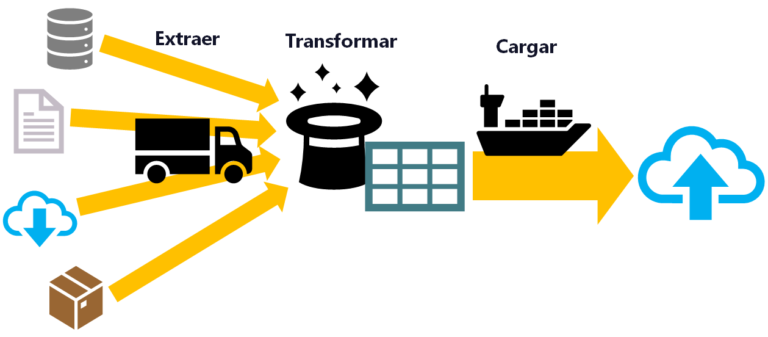
ETL: Extract, Transform, and Load
ETL is used for massive, real-time data processing (Big Data): Extract data from different sources, Transform it into a useful structure, and Load it where you can use it.
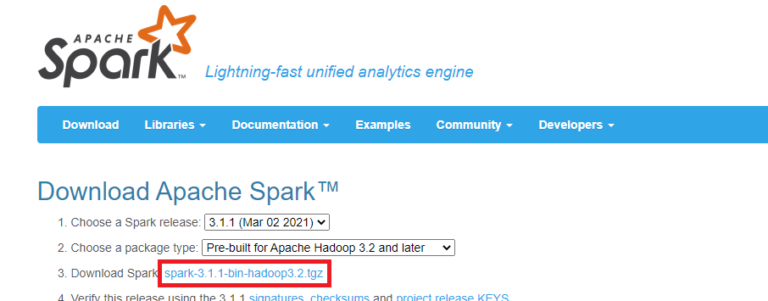
Install Apache Spark on Any Operating System and Learn to Program It with Python, Scala or Java
Install and test Apache Spark step by step with Python, Scala and Java, also with Jupyter Notebook and JupyterLab. Work with Big Data the easy way.
Leave a comment